

Cursor AI vs Windsurf vs Claude Code: Which Coding Assistant Fits Your Workflow?
- August 19, 2026
- 1
Pick up any comparison of these three tools, and you will find the same structure: a table of features, a speed test on a sample task, and a
Pick up any comparison of these three tools, and you will find the same structure: a table of features, a speed test on a sample task, and a
Pick up any comparison of these three tools, and you will find the same structure: a table of features, a speed test on a sample task, and a ranking. What you rarely find is an honest explanation of why they feel so different to use and why that feeling is the more useful thing to understand.
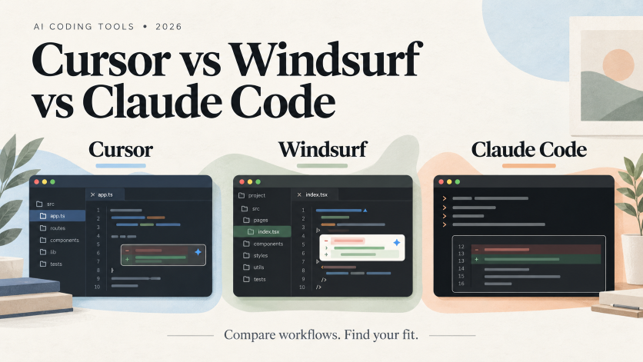
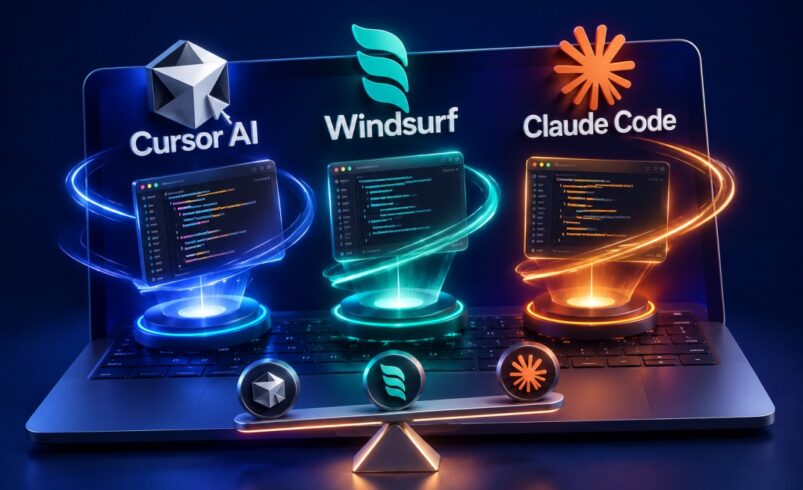
Cursor, Windsurf, and Claude Code do not all want to do the same job. Cursor integrates AI into the editor experience you already have. Windsurf, post-acquisition, is building toward an IDE where agents do most of the task-level work. Claude Code puts a terminal at the center and treats your entire codebase as raw material for autonomous execution. Choosing between them is less about features and more about which of those working styles matches yours.
This comparison reflects where all three tools stand in August 2026 — a period of significant change. Windsurf is a meaningfully different product from what it was even six months ago. Cursor’s 3.x releases added parallel cloud agents and a bug-fixing system that did not exist a year ago. Claude Code has grown from a capable terminal agent into a configurable orchestration platform. Reading comparisons written before mid-2026 will give you an outdated picture of all three.
Cursor and Windsurf are both VS Code forks with AI woven into the editing surface. That shared origin makes them easy to compare on feature dimensions. Claude Code has no editor. It runs in your terminal, reads your files, and executes multi-step tasks without a graphical interface. Putting all three in the same feature table is a bit like asking which is better, a car or a motorcycle — without knowing whether you are commuting through city traffic or crossing country roads.
The more useful question is what each tool treats as its core unit of work. Cursor and Windsurf operate at the level of individual edits, file changes, and multi-file tasks within a session. Claude Code operates at the level of entire features, systematic refactors, and engineering workflows — work you describe in a sentence and then come back to. Once that difference is clear, the rest of the comparison gets easier to read.
Cursor is an AI-native IDE built on a VS Code foundation. Its philosophy is that developers should not have to change how they work — the AI should fit into existing editor habits while adding capabilities those habits never had.
Tab completions in Cursor predict the next three to five lines based on recent edits and codebase context, not just the current line. Inline editing transforms selected code from a plain-language instruction without leaving the file. Agent mode handles multi-file changes with a diff-review step before anything gets written. The experience, for most developers, feels like VS Code that learned to read your mind — without requiring you to do anything differently to unlock it. For a closer side-by-side on autocomplete quality and multi-file editing, our Cursor vs GitHub Copilot comparison covers that ground in more detail.
The 2026 releases changed Cursor’s ceiling more than its floor. Background Agents, now production-stable, run coding tasks independently while you work on something else — they create branches, make changes, run tests, and prepare pull requests asynchronously. Cursor 3.x added the Agents Window: a dedicated interface for managing multiple agents running in parallel across local machines, cloud sandboxes, and remote SSH environments simultaneously.
BugBot crossed an important line this year. It no longer just reviews pull requests — it fixes the bugs it finds. The current resolution rate sits around 80 percent, with 90 percent of runs finishing in under three minutes after the June 2026 update. The system integrates with GitHub, GitHub Enterprise Server, and GitLab, and flagged issues link directly to the problematic code inside the editor. For teams that generate significant PR volume, this is a meaningful part of the quality pipeline, not just a convenient extra.
Model flexibility is worth mentioning specifically because the other two tools are more constrained. Cursor lets you route different tasks to Claude models, GPT-4o, or Gemini through its Auto mode, or select manually. For teams with model preferences tied to cost, performance, or compliance reasons, that optionality is hard to find elsewhere.
Cursor suits developers who think file-by-file or function-by-function for most of their work, want the richest autocomplete available in any IDE, and value staying in a familiar environment rather than adopting a new workflow. It also suits teams that need organizational controls — shared rules, centralized billing, audit logs — alongside individual AI capability.
The limitation is honest: when a task gets large enough that you cannot scope it to a series of editor interactions, Cursor’s agent capabilities reach their ceiling faster than Claude Code’s. Many experienced developers reach that ceiling regularly and handle it by using a second tool for those specific tasks.
A lot of developers formed their opinion of Windsurf during its Codeium phase (see our Windsurf AI review from earlier this year): the free-tier alternative to Cursor with decent autocomplete and a less polished agentic engine. That product no longer exists.
In December 2025, Cognition AI, the company behind Devin, the autonomous software engineering agent — acquired Windsurf’s parent company for approximately $250 million, after a reported $3 billion OpenAI acquisition fell through and Google separately hired Windsurf’s CEO and several senior engineers. What followed was a fairly rapid reconstruction of the product from the ground up.
Cognition’s core engineering contribution was a proprietary coding model family built specifically for software engineering tasks, trained end-to-end via reinforcement learning on real task environments rather than adapted from a general-purpose base model. The current version, SWE-1.6, runs at inference speeds up to 950 tokens per second. For a model that scores near-frontier on coding benchmarks, that throughput is meaningfully faster than routing through third-party models — which is part of why Windsurf’s autocomplete feels unusually snappy.
The pricing structure changed too. Windsurf used to be the cheaper Cursor alternative. The Pro tier now costs $20/month — the same as Cursor — and the product is competing on capability rather than price. For developers who chose Windsurf primarily for cost reasons, that calculus has shifted.
Three features distinguish the post-acquisition Windsurf from what any existing VertexTechHub article covered:
Codemaps are AI-annotated visual maps of codebase structure — showing grouped sections, file relationships, and precise line-level links. No competitor has shipped an equivalent. For engineers joining a new codebase or navigating a large legacy system, being able to see how the code is organized before asking questions about it is a practical time-saver, not a cosmetic feature.
Plan Mode, added in 2026, gives Cascade a step it previously lacked: the agent now drafts a complete implementation plan before writing any code, so dependencies and conflicts are identified before anything gets executed. Agentic tools that plan explicitly before executing tend to produce more internally consistent results on complex tasks, and the difference is noticeable on anything touching more than four or five files.
Devin Local replaced Cascade as the default local agent mid-2026. It brings Cognition’s cloud execution capabilities into the IDE directly, running alongside cloud Devin jobs in a unified task view. For teams that already use Devin as a cloud agent for larger autonomous work, having the same system available locally without switching tools is a meaningful workflow improvement.
Windsurf‘s strongest case is for developers building features in small-to-medium codebases where they want an agent that maintains a single coherent context for the whole task rather than coordinating across separate lookups. The Cascade/Devin Local coherence model tends to produce multi-file changes that fit together more naturally on well-scoped tasks. Codemaps makes it the more accessible tool when you are new to a codebase and need orientation before you can ask useful questions.
The genuine drawbacks are model inflexibility — you get SWE-1.6 as the default rather than a choice between frontier models — and thinner documentation than Cursor. The acquisition also places the product in an organizational transition that introduces some uncertainty about long-term roadmap consistency.
Claude Code is not an IDE. There is no file tree, no syntax-highlighted view, no drag-and-drop interface. It runs in your terminal, and it treats your codebase the way an engineer treats a project repository: as a collection of files and scripts that can be read, modified, tested, and committed as part of a larger task.
For developers who spend most of their time in a visual editor, this sounds like a step backward. For developers who already live in the terminal — running git, managing environment variables, executing build scripts — it is simply native.
This is the clearest way to explain why Claude Code does not compete with Cursor and Windsurf on the same dimensions: its natural unit of work is a task or feature, not a file or function. When you ask Claude Code to implement something, you describe what you need in plain language, and the tool reads the relevant files, decides what needs to change, makes the changes across however many files are involved, runs tests, and presents the results. You review a diff, not a series of individual edits.
That shift sounds subtle but it changes the rhythm of working completely. You are not guiding an assistant through your thought process. You are delegating a scoped piece of work, staying out of the way, and returning to review the output. Developers who describe tasks clearly and have a good sense of what a reasonable output looks like tend to get a lot of value from this model. Developers who prefer staying close to every edit tend to find it frustrating.
What has changed substantially since early Claude Code coverage is the depth of its orchestration architecture. The tool now supports subagents — specialized assistants that spawn in parallel, each with its own context window and tool permissions, so a planning instance, an implementation instance, and a test-repair instance can run simultaneously on different aspects of the same task. Per-session caps on spawning prevent runaway delegation, and the /fork command creates background forks of the current conversation without interrupting active work.
Hooks are deterministic scripts that fire at defined points in the execution lifecycle — before a tool runs, after it completes. In production team deployments, hooks enforce coding standards, validate outputs, and log tool usage without relying on the AI to remember these requirements each session. The Plugin system, which matured through 2026, packages skills, subagents, commands, hooks, and MCP configurations into a single installable unit — meaning team-specific workflows can be reproduced on a new developer’s machine with one command.
MCP connections let Claude Code reach into external systems: GitHub, databases, monitoring tools, browser automation, internal documentation. For engineering workflows that span multiple systems in a single task — migrating a module, auditing security posture, generating documentation from live API schemas — that external connectivity is something the IDE tools do not replicate as naturally.
Auto memory now maintains per-project notes automatically across sessions, reducing the overhead of managing the CLAUDE.md file that was, in earlier versions, entirely manual.
Claude Code belongs in the workflow of developers whose bottleneck is task complexity rather than typing speed. Backend engineers working on large codebases, teams running automated review pipelines, technical leads who need to execute systematic refactors across many files — these are the situations where the orchestration depth pays off.
It is the less natural choice for front-end iterative work, exploratory coding where you want to stay close to every change, or any workflow where the terminal is unfamiliar territory. The learning curve for configuring hooks, subagents, and session management is real. So is the cost unpredictability in multi-agent sessions, where token consumption compounds faster than most developers expect. For a closer look at how those tradeoffs play out on real projects, our full Claude Code review covers the testing in more depth.
Comparisons of AI coding tools focus heavily on code generation quality. The dimension that matters more in practice is how each tool knows what your codebase contains — and what it does when that knowledge runs out.
Cursor maintains a persistent local index of your entire project, updated as you edit. Cross-file questions — where a function is called, how data flows between services — get routed through that index. The longer you work in a project with Cursor, the more reliable its codebase-wide answers become. Memories in Cursor 3.x extend this: the tool stores facts from previous conversations and applies them in future sessions, making it more useful in familiar long-term projects than in codebases you are visiting once.
Windsurf’s approach is different. Cascade and Devin Local build a unified context for each task and maintain coherence within that session rather than querying a persistent index. The result is that multi-file changes initiated within a single task tend to fit together well, because everything was held in one working context. The SWE-grep retrieval system surfaces relevant code in milliseconds through parallel tool calls, and Codemaps provides a structural map that pre-orients the agent before a task begins. The tradeoff is that the coherence is session-local — Windsurf does not accumulate cross-session project knowledge the way Cursor does.
Claude Code’s CLAUDE.md mechanism sits between these approaches. It is a manually authored (and now auto-maintained) project context file that loads at the start of every session — encoding architecture, naming conventions, and task history in plain text that survives indefinitely. The 1-million-token context window means Claude Code can hold substantially more codebase content in memory at once than the IDE tools. When combined with subagents that maintain their own context windows in parallel, this architecture scales to tasks that would exhaust a single session in either Cursor or Windsurf.
For small-to-medium projects under around 50 files, all three tools handle codebase context adequately. The differentiation shows on larger or more complex work. Cursor’s indexed model gives accurate cross-file answers quickly, though Background Agents on very large projects with many interdependent components can lose coherence on tasks that require reasoning across many simultaneous dependencies. Windsurf’s Codemaps advantage is most useful at scale — navigating a 200-file monorepo without a visual structure map is significantly more painful than navigating a 20-file service. Claude Code’s combination of large context window, persistent CLAUDE.md, and parallel subagents provides the most capacity for complex, long-running work — at the cost of more upfront configuration and higher token spend.
All three tools have changed their pricing significantly in 2026. The figures below reflect the best available information as of August 2026. Pricing pages update frequently; treat these as directional rather than definitive.
| Cursor | Windsurf | Claude Code | |
| Free | Limited completions, basic Composer | ~25 credits/day with SWE-1.6 access | Via Claude.ai free tier, limited |
| Entry paid | Pro: $20/month | Pro: $20/month | Claude Pro: $20/month |
| Mid-tier | Pro+: $60/month | Teams: ~$30–35/user/month | Claude Max 5x: $100/month |
| Power | Ultra: $200/month | Enterprise: custom | Claude Max 20x: $200/month |
| Teams | $40/user/month | Teams tier available | Per-seat Pro/Max; API via Bedrock or Vertex AI |
A few things worth understanding beyond the headline numbers:
Cursor’s pricing now separates first-party model usage from third-party API costs. BugBot runs draw from usage-based billing at roughly $1.00–$1.50 per review. Cloud Agents introduced in Cursor 3.5 are metered separately from subscription usage. The base Pro price of $20/month covers considerably less than it once did if you use agentic features heavily.
Windsurf Pro increased from the $15/month it held during the Codeium era. The product is no longer cheaper than Cursor at the entry tier. The free tier retains meaningful access to SWE-1.6 and daily Cascade credits, which gives it a real advantage for developers evaluating capabilities before committing.
Claude Code’s most important pricing nuance is the separation of programmatic and agentic credit pools that took effect in June 2026. Automated pipelines, Agent SDK use, and multi-agent sessions draw from a separate monthly credit allocation rather than the shared subscription pool. Developers who run Claude Code interactively will find the Pro tier sufficient for moderate use. Teams running agent-heavy pipelines regularly will find costs accumulate faster than the subscription tier implies.
Cursor is the right daily driver for the broadest range of developers. If you want AI editing that integrates into a familiar environment, model flexibility, and a well-documented feature set, Cursor is the most accessible and most versatile of the three. Teams that need governance features — shared rules, centralized billing, audit trails — have better organizational infrastructure in Cursor than in either alternative.
Windsurf has its strongest argument for developers who want an agent-coherent IDE and have been recently put off by Cursor’s pricing complexity. Plan Mode and Codemaps add things Cursor does not have. For engineers who regularly onboard into unfamiliar codebases or work on well-defined feature tasks where a single coherent agent context produces cleaner results, Windsurf is worth a genuine evaluation — not just a quick trial of the free tier. Its weakest case is for teams with specific model requirements, since Windsurf provides significantly less model choice than Cursor.
Claude Code belongs in the stack of developers whose work regularly exceeds what an editor-based tool handles naturally — large architectural tasks, systematic refactors across many files, automated review pipelines, or engineering workflows that span multiple external systems. It is not a good fit for exploratory front-end work, single-file editing, or developers who have not spent time in terminal environments. The configuration investment to use it well is real, and it should factor into the decision.
On the question of using more than one: the combination that comes up most often among experienced developers is Cursor alongside Claude Code. Cursor covers the daily editing work — autocomplete, inline changes, multi-file tasks within a session. Claude Code handles the work that outgrows a session — large implementations, systematic refactors, automated pipelines. At around $40/month combined for entry paid tiers, the two tools cover different parts of the development day without much overlap. Windsurf plus Claude Code works on the same logic. The combination that makes less sense is Cursor plus Windsurf, since both occupy the same IDE-based niche. Getting that pairing right comes down to building an AI workflow that works for how you actually split your day, not just stacking subscriptions.
Three questions cut through most of the noise:
Where do you spend most of your development time?
If the answer is inside a visual editor, start with Cursor or Windsurf. If the answer is the terminal, Claude Code is worth the learning curve.
What size task do you typically hand off to AI?
File-level and function-level work lands best in Cursor or Windsurf. Feature-level and system-level work — the kind you describe in a sentence and review an hour later — is where Claude Code’s architecture pays off.
How much configuration are you willing to do upfront?
Cursor and Windsurf are usable immediately with minimal setup. Claude Code’s orchestration depth — hooks, subagents, MCP connections, structured CLAUDE.md files — requires investment before it becomes consistently useful.
There is no single correct answer across all three. Cursor has the widest appeal, Windsurf has the clearest differentiation on agent coherence and codebase visualization, and Claude Code has the highest ceiling for developers willing to work within its model. Pick based on the majority of your actual working day rather than the most impressive feature in a benchmark. For solo developers and freelancers weighing this against a tighter budget, our guide to the best AI tools for freelancers breaks that calculus down further.



1 Comment
[…] Check out our previous blog to refresh: Existing comparison […]