

The Complete Guide to AI Coding Assistants in 2026
- September 5, 2026
- 0
In 2026, an AI coding assistant might mean a plugin that autocompletes the next few lines of a function. It might mean a full code editor that rewrites
In 2026, an AI coding assistant might mean a plugin that autocompletes the next few lines of a function. It might mean a full code editor that rewrites

In 2026, an AI coding assistant might mean a plugin that autocompletes the next few lines of a function. It might mean a full code editor that rewrites six files after reading one sentence. Or it might mean a program running in your terminal with no visual interface at all, one that plans a feature, writes it, tests it, and comes back with a diff for you to review. All three get called the same thing, which is most of the reason developers get confused the moment they start comparing tools.
The category moved faster in the past year than the vocabulary describing it. GitHub paused new signups for Copilot’s individual plans in April because agentic usage was costing more than the subscription covered. Windsurf was acquired and effectively rebuilt from the ground up. Anthropic split Claude Code’s billing into separate pools for interactive and agentic use. Google folded its coding tool into something it now calls an agent orchestration platform rather than an editor. None of that is background noise. It’s the shape of the category right now, and it changes how you should think about choosing a tool.
This guide covers what these tools actually are, how they behave under the hood, what they’re genuinely good at, where they still fail, and how to think about choosing one for the way you actually work. Where a deeper hands-on comparison exists, this guide points to it rather than repeating the testing.
Three years ago, the phrase meant one thing: an autocomplete layer bolted onto an editor, predicting the next line based on what you’d already typed. That description still fits how GitHub Copilot started, and it undersells almost everything else the term now covers.
In 2026, the same label applies to standalone code editors built specifically around AI assistance, like Cursor and Windsurf. It applies to command-line agents with no graphical interface at all, like Claude Code and OpenAI’s Codex CLI. It applies to orchestration platforms such as Google’s Antigravity, which now describes itself less as an editor and more as a system for coordinating teams of agents working in parallel on different parts of the same task. None of these do the same job in the same way, even though a search for the best AI coding assistant will return all of them side by side.
The distinction that actually matters isn’t which company built the tool or which model sits underneath it. It’s what the tool treats as its basic unit of work. A completion-style assistant operates at the level of the next few tokens. A chat-based assistant operates at the level of a single question about a single file. An agentic tool operates at the level of a task you’d describe in a sentence, something like add password reset to the existing login flow, and then it goes away and returns with changes across however many files that touches. Knowing which of those three you’re actually getting is the difference between a tool that feels like a helpful nudge and one that changes how you work day to day.
A second useful way to sort these tools is by where they attach to your process. Some live inside an editor you already use, arriving as an extension. Some replace the editor entirely, forking it into a purpose-built environment. And some skip the editor altogether and live in the terminal, treating your codebase the way a build script would: as files to read, modify, and test. That structural difference explains most of the friction people report when switching between tools, and it matters more than any single feature comparison.
Underneath all of these tools sits a large language model trained on code and natural language, but the job it’s asked to do varies enormously by tool. Completion is the narrowest task: predict the next few tokens given what’s already on screen. Generation is broader: produce a function, a file, or a small feature from a written description. Agentic execution is the broadest: carry out a multi-step task using tools, meaning the model can read files, write files, run terminal commands, check the results, and decide what to do next without a human approving each individual step.
Most of what makes 2026’s tools feel different from 2023’s isn’t a smarter model. It’s that models learned to call tools reliably, which turned them from text generators into something that can act inside a real development environment. That capability, generally called tool calling or function calling depending on the vendor, is the mechanical difference between an assistant that talks about your code and an agent that changes it.
A capable model with poor context still guesses. A modest model with accurate information about your specific codebase often outperforms it. This is why codebase indexing and context management matter more in practice than which underlying model a tool defaults to.
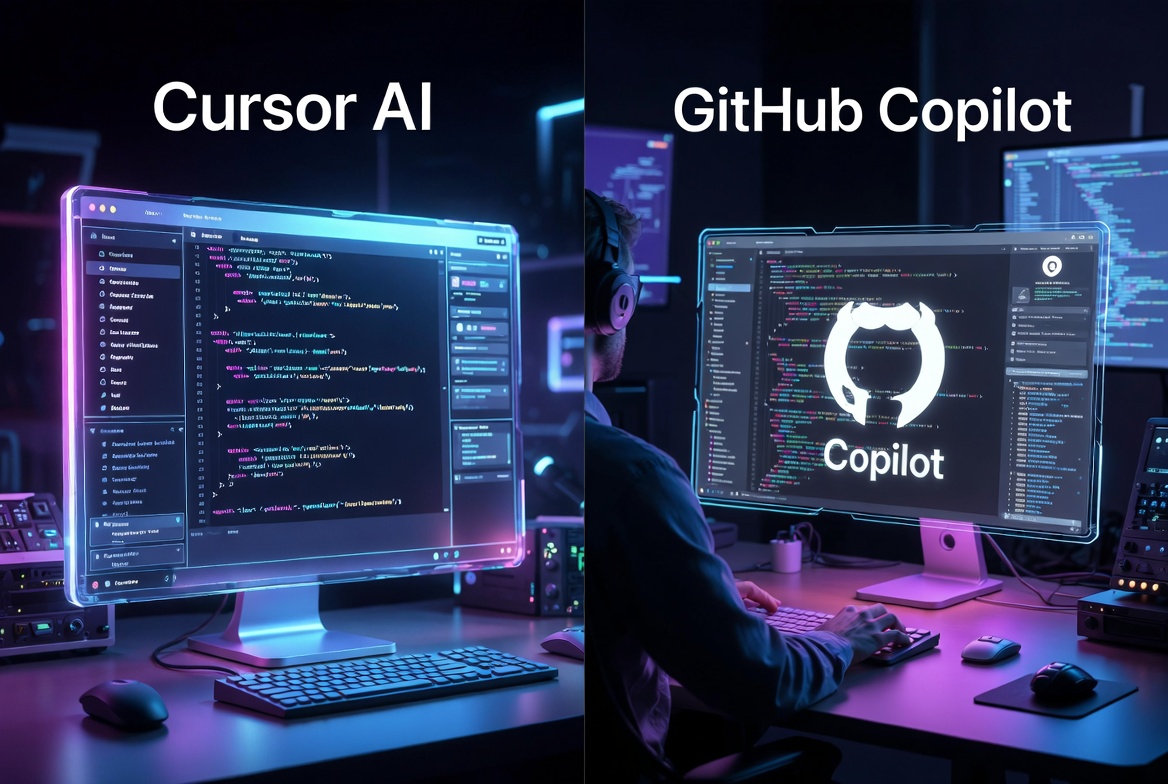
In VertexTechHub’s own hands-on testing for the Cursor AI vs GitHub Copilot comparison, Cursor answered nine out of ten codebase-navigation questions correctly on a 25-file project, against four out of ten for Copilot with full accuracy. That gap wasn’t about which model was smarter. It was about the fact that Cursor indexes the entire project while Copilot’s effective context is mostly the open file and recently visited ones. The same pattern shows up across the category: a tool’s context strategy predicts its practical usefulness better than its benchmark scores do.
Context strategies vary by tool. Some maintain a persistent local index that improves the longer you work on a project. Some build a fresh working context for each task and hold it together for that session only, without accumulating knowledge across sessions.While some rely on a manually or automatically maintained project file that loads at the start of every session and encodes architecture, naming conventions, and prior decisions in plain text. None of these approaches is universally better. They trade off differently depending on whether you’re working in one codebase for months or moving between projects.
Not every tool in this category supports every capability below, and vendors are inconsistent about which of these are available on which plan. Treat this as a map of what the category can do collectively, not a checklist any single product satisfies in full.
Inline code completion, chat-based code explanation, and basic single-file editing are available in some form across nearly every tool discussed here. These are no longer differentiators. If a coding assistant in 2026 can’t do these three things reasonably well, it’s not a serious contender regardless of what else it claims.
Multi-file editing that produces a coherent, reviewable diff across several files at once is unevenly distributed. So is genuine codebase-wide debugging, where the tool can trace a bug’s root cause across file boundaries rather than just flagging the symptom in the file you have open. Automated test generation, documentation generation tied to actual code behavior rather than boilerplate templates, and pull request review that catches real issues rather than style nits are all capabilities where quality varies significantly between tools that otherwise look similar on a feature list. Terminal access, meaning the ability to run commands, execute tests, and read the output before deciding what to do next, is the capability that separates assistants from agents most clearly, and it’s still concentrated in a smaller number of tools than the marketing around agentic coding would suggest.
Rather than list individual products, it’s more useful to understand the categories they fall into, since a new tool launching next month will almost certainly fit one of these patterns.
These plug into an editor you already use rather than replacing it. GitHub Copilot is the clearest example and still the most widely adopted tool in the category, largely because it requires no change in editing habits. It’s also the clearest current example of how agentic features strain a flat-rate subscription model. In April 2026, GitHub paused new signups for its individual Pro, Pro+, and Student plans and tightened usage limits, citing the compute cost of agentic sessions running well beyond what the original pricing was built to cover. Billing moved to a credit-based system in June. The lesson generalizes beyond Copilot specifically: an extension model that adds agentic features on top of a flat subscription tends to run into this exact tension eventually, because agentic sessions consume far more compute than a single autocomplete request ever did.
These replace your editor rather than attaching to it, usually as a fork of an existing open-source editor with AI woven into the core editing surface. Cursor and Windsurf are the two most established examples. Both index a full project, support multi-file editing through an agent-style workflow, and offer a chat interface with codebase awareness. VertexTechHub’s full Cursor vs GitHub Copilot workflow test covers exactly how that multi-file editing performs against an extension-based tool on a real project, and our hands-on Windsurf review covers Windsurf’s original approach in detail.
Windsurf is worth a specific caution here. Cognition, the company behind the autonomous agent Devin, acquired Windsurf’s parent company in December 2025, and the product that resulted is meaningfully different from what existed before. Pricing changed, the underlying model changed to an in-house coding model built specifically for software engineering tasks, and new features like visual codebase maps and an explicit planning step arrived that didn’t exist in the earlier version. A review written before that acquisition, however accurate at the time, describes a product that has since been substantially rebuilt. If you’re evaluating Windsurf today, treat pre-acquisition coverage as historical context rather than a current picture of the product.
These have no editor at all. Claude Code, from Anthropic, is the clearest example, running entirely in the terminal and treating your codebase as files to read, modify, test, and commit, with no file tree or syntax-highlighted view involved unless you’re using one of its editor extensions as a secondary interface. OpenAI’s Codex CLI occupies similar territory, running locally and executing multi-step tasks with human approval built into the workflow. VertexTechHub’s full Claude Code review covers hands-on testing across greenfield scaffolding, legacy refactoring, and cross-file bug investigation, along with the pricing structure that separates interactive use from agentic and programmatic use.
The terminal-native model is a genuine barrier for developers who think visually and want to see their codebase as a file tree. It’s also, for developers who already live in a terminal running builds and git commands, the more natural fit of any category here, because it doesn’t ask them to change environments to get AI assistance.
This is the newest and least settled category. Google’s Antigravity launched as an agent-first coding tool and was repositioned in 2026 as a platform for managing teams of autonomous agents working on different parts of a task simultaneously, complete with a desktop app, a CLI, and an SDK for building custom agent workflows. Devin, from Cognition, occupies similar ground as a fully autonomous software engineering agent rather than an assistant a developer actively drives. These platforms are worth watching rather than adopting reflexively, since the category is still defining what a reasonable division of labor between a developer and a team of autonomous agents actually looks like in practice.
Starting a new project from scratch is where agentic tools show their clearest advantage. Describing an application’s structure in a sentence and getting a working scaffold back, directory layout, configuration, a basic test suite, saves real time even when the output needs refinement before it’s production-ready.
Understanding an unfamiliar codebase is a different problem, and it’s one that context-aware chat handles better than raw generation does. Asking where a specific piece of logic lives or how two modules interact turns a manual grep-and-read exercise into a direct answer, provided the tool’s indexing is accurate enough to trust.
Writing a new function or component is the bread-and-butter case every tool in this category handles reasonably well, and it’s the task where the differences between tools matter least. Refactoring across multiple files, migrating from one library to another, or applying a consistent pattern change across dozens of files is where multi-file editing and agentic execution earn their keep, because the alternative is a tedious, error-prone manual sweep.
Debugging is where codebase-wide context matters most, since most non-trivial bugs cross file boundaries, and tracing a bug manually through an unfamiliar call chain is disproportionately expensive compared to almost any other coding task. Writing tests and generating documentation are lower-stakes tasks where AI assistance saves time reliably, though both still benefit from a developer checking that the tests actually validate meaningful behavior rather than just achieving coverage numbers. Reviewing pull requests is an emerging use case where multi-agent review systems now catch a meaningful share of issues before a human reviewer even opens the file, though none of the current tools replace a human review step entirely for anything shipping to production.
Hallucinated code, meaning confident output that references a function, dependency, or API that doesn’t actually exist, remains the most common failure mode across the category. It’s most dangerous when it’s subtle: a plausible-looking import path or a schema field that sounds right but isn’t there. Reported correction rates for complex multi-file agentic tasks across the tools VertexTechHub has tested directly cluster around one in three to one in five requests needing some manual fix, which is an honest number rather than a discouraging one. It means these tools accelerate work substantially while still requiring review, not that they’re unreliable.
Security review doesn’t get automated away by any of this. A tool generating working code has no inherent understanding of whether that code introduces a vulnerability, handles user input safely, or manages secrets correctly. The same applies to dependency choices, where a tool might suggest a package that’s outdated, poorly maintained, or license-incompatible with your project without flagging any of that.
The failure mode that’s specific to 2026, and genuinely underexplored elsewhere, is cost unpredictability. Agentic workflows consume tokens at a rate that flat monthly subscriptions weren’t designed around, which is precisely why GitHub tightened Copilot’s limits, why Claude Code split its billing into separate interactive and agentic pools in June, and why OpenAI moved Codex to token-based credit billing in April. A developer running an extended multi-agent session can burn through a week’s usage allowance in a single sitting without necessarily realizing it in the moment. Budgeting for AI-assisted development in 2026 means understanding a tool’s usage model as carefully as its feature set, not just its advertised monthly price.
Overconfident explanations are a subtler risk. A tool that explains why a piece of code works, or why a bug happened, presents that explanation with the same fluent confidence whether it’s correct or not. Developers who are learning a new framework or an unfamiliar part of the codebase are the most exposed to this, because they have the least independent basis to catch a plausible-sounding wrong answer.
None of this makes these tools a replacement for engineering judgment, and treating them that way is where teams run into trouble. Architecture decisions, the tradeoffs between building something quickly versus building it to scale, still require a person who understands the business context these tools have no access to. Security decisions, particularly around authentication, authorization, and data handling, need a human who understands the actual threat model rather than a general pattern learned from public code.
Code review doesn’t go away either. If anything, the review step becomes more important as generation speed increases, because code can now be produced faster than most existing review processes were built to handle. Business logic, the specific rules that make your product different from a generic implementation of the same feature, is the area where these tools are weakest, precisely because that logic usually isn’t documented anywhere the model could have learned it. Compliance requirements, performance constraints specific to your infrastructure, and long-term maintainability decisions all still sit squarely with the people building the product, not the tool assisting them.
Four questions cut through most of the noise faster than a feature-by-feature comparison chart.
If the honest answer is inside a visual editor, start with an AI-native editor or a well-supported extension. If it’s the terminal, a terminal-native agent is worth the adjustment.
File-level and function-level work is served well by completion tools and AI-native editors. Feature-level work, the kind you’d describe in a sentence and review an hour later, is where agentic tools earn their higher learning curve.
Extensions and AI-native editors are usable within minutes. Terminal-native agents reward time spent on project context files and, in more advanced setups, on configuring the tool’s automation hooks. That investment pays off on larger, longer-running codebases and is wasted on small, short-lived projects.
Every tool in this category sends some amount of code context to a vendor’s servers for inference unless you’re specifically on a plan or deployment option built for local or private handling. For proprietary or regulated code, checking a vendor’s specific privacy and data handling documentation before adoption matters more than any feature comparison.
If you’ve already narrowed your options to Cursor, Windsurf, and Claude Code specifically, and you want that comparison at a level of detail this guide isn’t built to provide, VertexTechHub’s full three-way comparison of Cursor, Windsurf, and Claude Code goes deep on pricing, context management, and which working style suits each one, including how to decide whether stacking two tools together makes sense for your workflow.
Learning-stage developers get real value from completion tools and chat explanations, particularly for understanding unfamiliar syntax, decoding error messages, and seeing a working example of a pattern they haven’t used before. The caution here is real: a beginner has the least ability to independently verify whether an explanation or a generated solution is actually correct, which makes overreliance on AI-generated code without understanding it a genuine risk to skill development, not just a code quality issue.
For developers who already understand their codebase, the value shifts toward speed on tasks they could do manually but would rather not: repetitive refactors, boilerplate generation, first-draft test coverage, and faster exploration of an unfamiliar part of a large codebase. The judgment to catch a subtly wrong suggestion is already there, which is what makes the productivity gain net positive rather than a maintenance burden in disguise.
Team-level adoption raises questions individual use doesn’t: consistent standards across a team using different tools, a code review process built for a higher volume of generated code, and governance over what proprietary code gets sent to which vendor. Teams that treat AI coding assistants as a workflow decision, not just an individual subscription, tend to get more value out of them and run into fewer surprises around cost and code quality drift.
At the organizational level, the calculation includes cost predictability, which 2026’s billing shifts have made a genuinely harder question than it was a year ago, alongside data handling policy, developer adoption friction, and how well a tool integrates with existing CI/CD and review infrastructure. Return on investment is real but uneven. It shows up clearly on tasks with a lot of repetitive structure and less clearly on work that’s mostly novel problem-solving, which is worth factoring into expectations before committing budget at scale.
The clearest trend across 2026 is a shift from tools that assist a developer’s typing toward platforms that coordinate multiple agents working somewhat independently. Google’s repositioning of Antigravity from a coding editor into an agent orchestration platform, and the broader interest in running several specialized agents in parallel on different pieces of the same task, both point the same direction: the unit of delegation is getting larger, from a line of code to a task to, increasingly, a coordinated set of tasks.
The second trend, less discussed but arguably more consequential for anyone budgeting for these tools, is the industry-wide reckoning with what agentic usage actually costs to run. GitHub, OpenAI, and Anthropic all restructured pricing within a few months of each other in 2026, each responding to the same underlying pressure: agentic sessions consume compute at a rate flat subscriptions weren’t built for. Expect more of this rather than less, and expect usage-based or credit-based billing to become the norm rather than the exception as agentic features move from novelty to default.
The third is consolidation. Windsurf’s acquisition by Cognition, and the broader pattern of coding-agent companies being acquired by or merging into larger AI labs, suggests the standalone AI coding editor category may narrow to a smaller number of well-capitalized players over the next year, even as the terminal-native and orchestration categories keep expanding. None of this changes the fundamentals covered in this guide. It changes how quickly any specific product recommendation goes stale, which is exactly why understanding the category, rather than memorizing a snapshot of today’s leaderboard, is the more durable skill for navigating what comes next.