How to Build Reliable AI Workflows With Human Approval Steps
- November 15, 2026
- 0
A human-in-the-loop AI workflow lets AI propose an action and gives a person the final say before it happens. Put the approval gate directly before the action that

A human-in-the-loop AI workflow lets AI propose an action and gives a person the final say before it happens. Put the approval gate directly before the action that

A human-in-the-loop AI workflow lets AI propose an action and gives a person the final say before it happens. Put the approval gate directly before the action that changes something, such as sending a customer reply or issuing a refund. Make the system check that the approval still applies to the exact action it’s about to take.
Start with one action you can describe in a sentence, such as “refund $42 to the original payment method for order A1042.” If you’re still choosing a task, start with our guide to automating repetitive work with AI.
This guide uses official documentation checked on November 8, 2026.
Set review requirements by the consequence of the action. One ticket can need different checks for the summary, reply and refund.
|
Risk Level |
Example |
Review Rule |
|
Low |
An internal ticket summary saved as a draft |
Let the draft save. Spot-check a sample for missed details and wrong classifications. |
|
Medium |
A reply that goes to a customer |
Require a named reviewer to approve the exact message before it sends. |
|
High |
A payment, permanent deletion, or action with legal or health consequences |
Require approval and a second independent check before execution. Route cases outside the workflow’s authority to a qualified person. |
Write the rule where the action runs. If an agent can reach the same payment connector through another tool, an approval screen on its usual path leaves a gap. Give the model read access to the information it needs, and give the payment credential only to the component that enforces the gate. Our guide to AI agent stacks explains where tools and workflow controls fit together.
OpenAI’s agent-building guide recommends human intervention for high-risk actions and when an agent repeatedly fails. In the EU, Article 14 of the AI Act sets human oversight requirements specifically for high-risk AI systems covered by the regulation. OpenAI’s practical guide to building agents · EU AI Act, Article 14
In a human-in-the-loop AI workflow, check for missing fields and invalid amounts before you send a proposal for review. Save human attention for questions such as whether a policy exception applies.
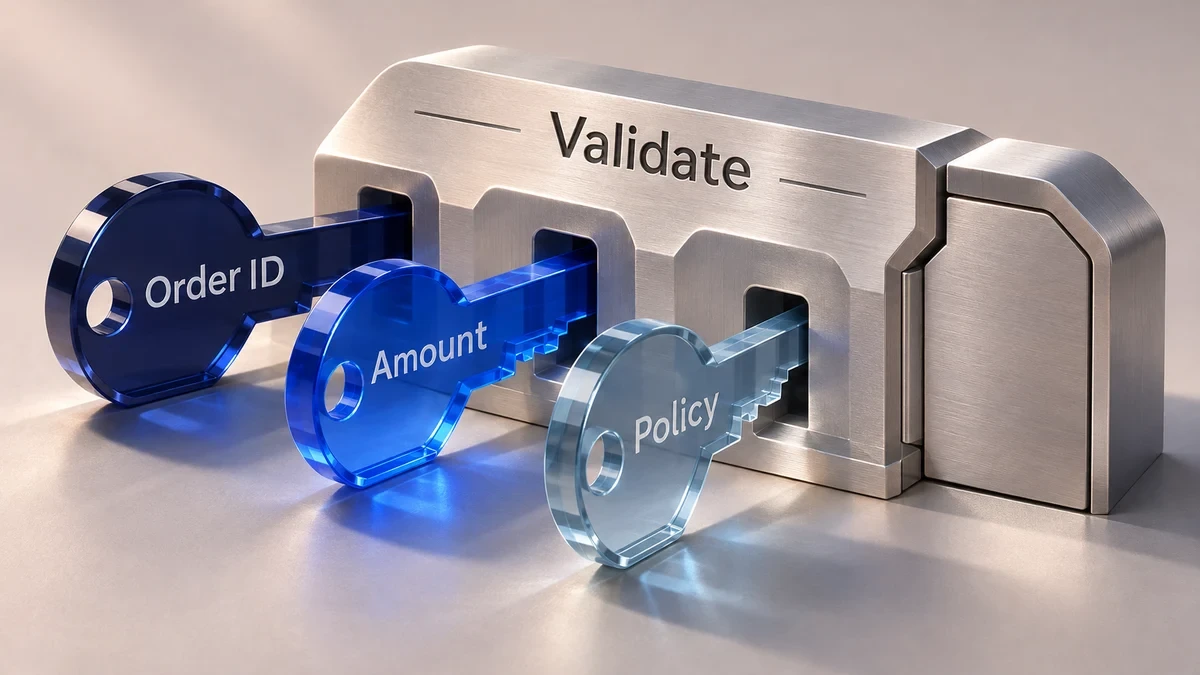
Treat a model’s confidence score as a signal to investigate. A model can sound certain about a policy section it misread. Use hard rules to block invalid proposals, route uncertainty flags such as “delivery date missing” to a person, and sample apparently straightforward cases too. If you introduce a numeric threshold, compare it with past reviewer decisions before using it to change routing. Keep required approvals in place. Anthropic describes a similar separation between model steps and checks in its guide to workflow patterns. Building effective agents
In this hypothetical human-in-the-loop AI workflow, a customer reports a damaged item on order A1042. The assistant proposes a $42.00 USD refund to the original payment method. A support lead and a second, independent approver must both sign off before payment.
Show the ticket excerpt, order ID, proposed amount and currency, remaining refundable balance, reason, current policy section and any missing evidence. For order A1042, suppose the balance is $60 and the policy requires a photo of the damage. Each reviewer can open the photo and check the rule before signing off. “Approve $42.00 refund” gives them a clearer decision than “Approve AI output.”
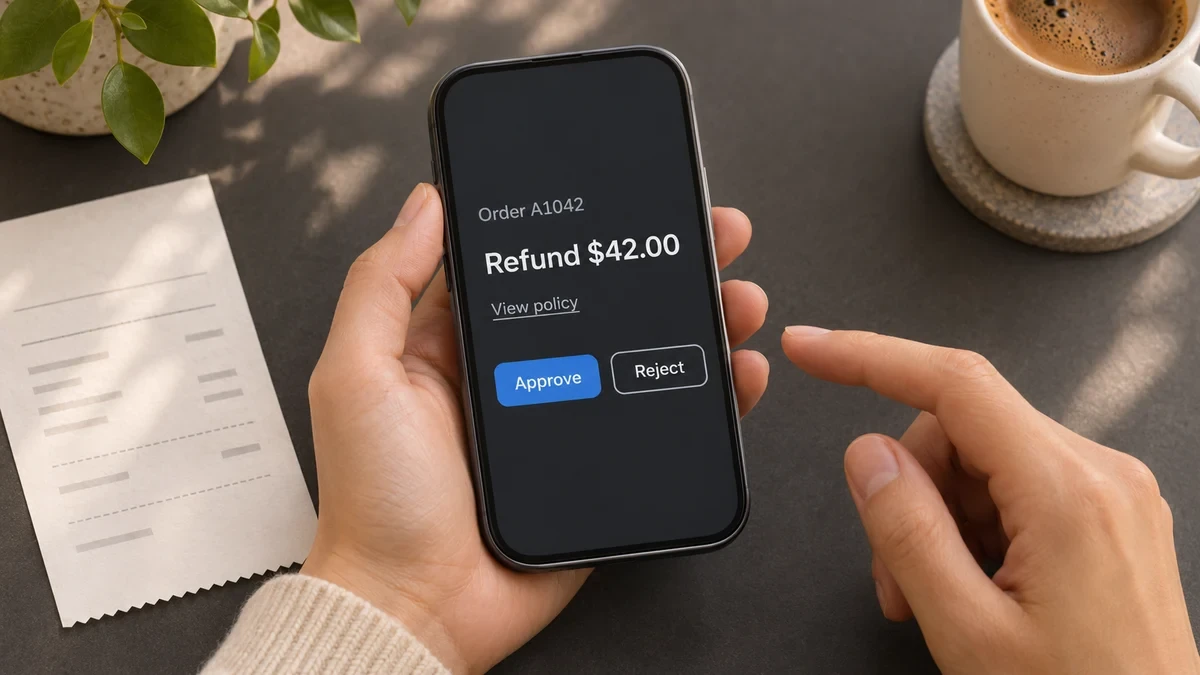
Save a fixed version of the proposal when you send it for review. Both people approve that same version. If someone changes the amount, payment target or reason, send the revised version through validation and collect fresh approvals. A reviewer who rejects the proposal records a reason so support can resolve the ticket or submit a correction. For the steps leading up to this decision, see how to set up AI support ticket routing and escalation.
Set a deadline with a named backup reviewer who has the same authority. If either approval is missing when the deadline passes, mark the request expired and move the ticket to the manual queue. Late clicks can show the expired status. They can’t restart the refund. If support still wants to use the workflow, it creates a fresh review request using the current order and policy.
Before submitting the refund, verify that both reviewers still have authority and that both decisions match the current proposal version. Recheck the refund cap, payment status and available balance. In one database transaction, claim the request once, reserve the amount against the order and queue the payment. That leaves $18 available for any other request on A1042 while the $42 is pending.
Pseudocode. One transaction saves the reservation and pending payment.
transaction:
require valid_approvals_for(request.version)
claim_request_once(request.id)
reserve_if_eligible(order.id, request.amount)
queue_payment(request.approved_payload, key=request.id)
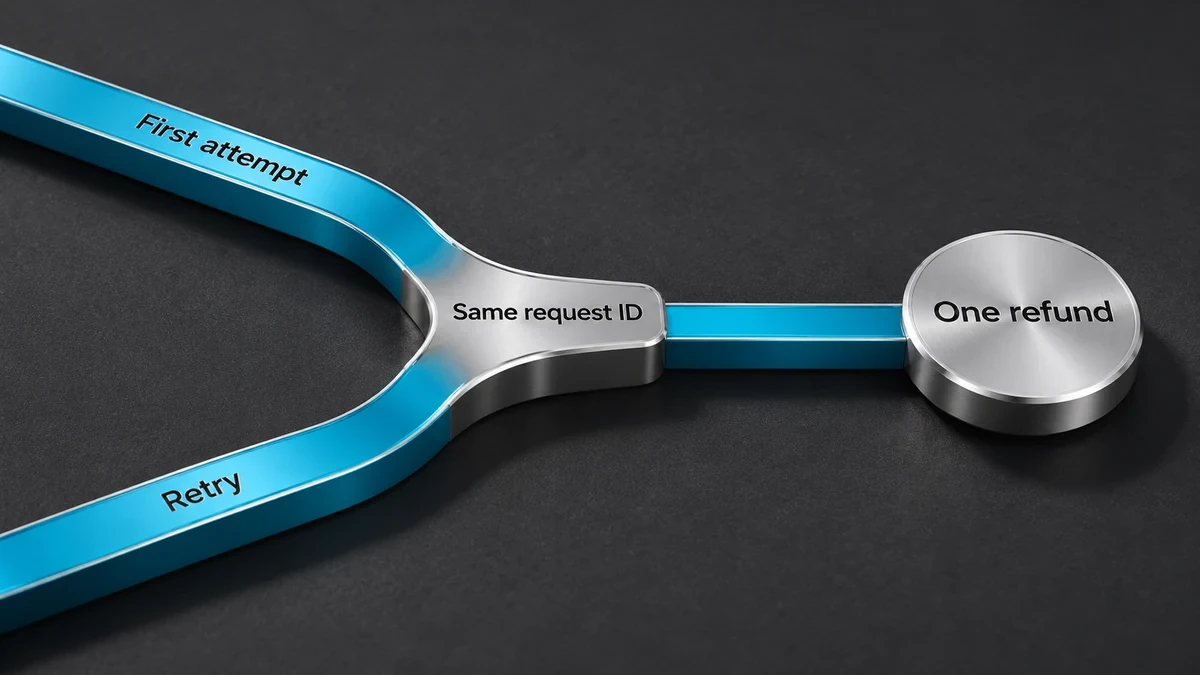
The payment worker sends only the saved payload. If an approval expires or a relevant policy or order detail changes before the first attempt, the worker holds the payment for review again.
A payment timeout means the outcome is unknown. The provider might already have issued the refund, so check its records before trying again. If a retry is safe under the provider’s rules, reuse the exact payment details and the same idempotency key, an identifier the provider uses to recognize repeated submissions. If the provider’s retry window has expired or the outcome remains unclear, keep the $42 reserved until someone resolves it. Release the reservation after a confirmed failure. Confirm success before telling the customer the refund went through. Stripe’s idempotent request documentation
Use one request ID to connect the original proposal, both decisions and the execution result. A human-in-the-loop AI workflow should let an operator trace a refund from the ticket to the payment record without piecing it together from chat messages.
Keep sensitive records in the systems that already control access to them. Use references in the audit log where they give authorized reviewers enough evidence. Set an owner and retention period for the log. Our AI security checklist for small businesses covers access and incident response.
Watch the oldest pending review and the number of expired approvals to see where cases get stuck. Track edits by reason to catch recurring mistakes. Flag payments with unknown outcomes for reconciliation. Pause execution after any unauthorized action or duplicate refund, then rerun the failure cases before resuming. NIST AI Risk Management Framework
Start with the platform that already owns the action and can identify your reviewers. An approval notification handles the handoff. The workflow still needs to enforce the decision when the action runs.
|
If You Need To… |
Start With |
Check Before You Ship |
|
Gate specific tools in an n8n agent |
n8n Human Review can send per-tool approvals through Slack, Teams, Gmail and other channels. |
Denial cancels the call and informs the agent. Apply the same rule to any other path to the action. |
|
Pause a Zap or a specific AI by Zapier tool |
Use Zapier Human in the Loop for a separate review step or enable Require approval before running on the AI tool. |
Approval is off by default for new AI by Zapier tools. Check each tool that can make a change. |
|
Route completed reviews into a Make scenario |
Make’s Human in the Loop app offers Create a review request and Watch completed reviews. |
Make lists this as an invite-only beta for Enterprise. Confirm access before you build around it. |
|
Wait for a decision in a Microsoft flow |
Power Automate’s Start and wait for an approval waits for the configured approval or a timeout. |
Create an approval alone continues immediately. Pair it with a wait step if you need to split the actions. |
Pilot the smallest action that gives you a real decision to review. If you can’t test how it stops, start with a step that only produces a draft.
|
If You’re Starting With… |
Pilot This |
Ready to Expand When… |
|
A shared support inbox |
Draft a reply and route it to the ticket owner. |
Reviewers can see the source and catch a wrong policy before sending. |
|
A workflow that can move money |
Run refund proposals against a test payment account. |
Rejection and expiry block payment, and a simulated timeout still produces at most one refund. |
Before your first human-in-the-loop AI workflow goes live, replay those failure cases. For payments, also test two workers picking up the same request and two requests competing for the same balance. Use the VertexTechHub guide to building AI workflows to map the owner, inputs and final action for the first workflow you’ll pilot.
Yes, if the backup has the required authority and the system records who actually approved. When two independent decisions are required, a delegate can fill only one of those roles on the same request.
The link can open the review page, but require the person to sign in before recording a decision. Check that the signed-in account is an authorized reviewer for that specific request.
Yes, if each item shows its own evidence and the reviewer can exclude individual items. Keep high-risk decisions individually reviewable and record each outcome separately so a problem on one item doesn’t hide in the batch.