Best AI Video Generators in 2026: We Tested Runway, Kling, and Veo 3 So You Don’t Have To
June 6, 2026
0
The AI video generation market has matured faster than almost anyone predicted. A year ago, AI video meant short, inconsistent clips with uncanny physics and melting faces. Today,
The AI video generation market has matured faster than almost anyone predicted. A year ago, AI video meant short, inconsistent clips with uncanny physics and melting faces. Today, the best tools produce footage that is genuinely hard to distinguish from smartphone video, and in some use cases the gap with professional production is narrowing fast.
This comparison covers the three tools that matter most in mid-2026: Runway (Gen-3 Alpha), Kling AI (v2.0), and Google Veo 3. Each was tested using ten identical prompt scenarios, scored across seven criteria, and evaluated for real creator workflows. The aim is not to rank tools in the abstract but to identify which is right for which type of creator.
For context on how these generation tools fit the broader AI ecosystem, our Claude vs ChatGPT vs Gemini breakdown shows how the major AI labs are positioning across modalities.
How AI Video Generation Has Changed in 2026
The technical leap between 2024 and 2026 in AI video is significant. Diffusion-based video models have improved temporal coherence substantially, meaning objects and people no longer drift or morph between frames at the rates that made early AI video unusable for professional work.
Three developments drove this shift. First, training datasets grew substantially in both scale and curation quality. Second, model architectures improved to better handle motion physics across longer clip durations. Third, inference costs dropped enough to make high-quality generation financially accessible for individual creators rather than only enterprise studios.
The result is a category where the best output is genuinely useful for social content, marketing production, and creative prototyping. It is not yet a replacement for cinematography, but it is a serious tool for the work that fills most professional video workflows.
The same pattern of rapid quality improvement can be seen across AI creative tools. Our piece on how AI image generators work explains the diffusion model foundations shared by both image and video generation systems.
The Three Contenders: What Each Tool Actually Is
Runway (Gen-3 Alpha Turbo)
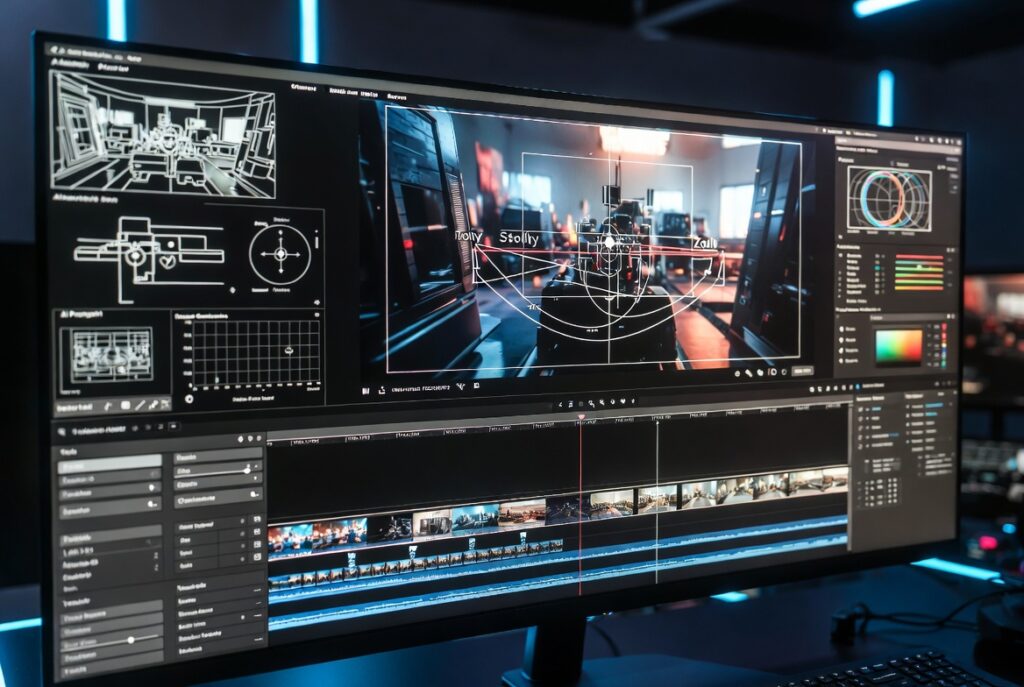
Runway is the most established Western AI video platform for professional creators. Gen-3 Alpha Turbo, released in late 2024 and updated substantially in 2026, offers text-to-video, image-to-video, and video-to-video generation with strong integration into post-production workflows. Runway’s camera controls are the most mature in the category, allowing users to specify movement type, angle, and speed with notable precision.
Kling AI (v2.0)
Kling AI, developed by Kuaishou Technology, made a significant leap with v2.0. Where earlier Kling versions were competitive mainly on character movement realism, v2.0 improved environment rendering, lighting simulation, and temporal stability. Kling’s five-second clips are now among the most photorealistic in the category for non-scripted scene generation.
Google Veo 3
Veo 3 is Google DeepMind’s entry into the consumer-accessible video generation space, and it is the most capable model in terms of raw visual quality at high resolutions. Veo 3 generates 1080p output with noticeably better lighting fidelity than competitors. The primary limitation is access: Veo 3 is available through Google’s Gemini Ultra tier and through the Vertex AI API, not through a dedicated creator-friendly interface at the same level as Runway.
Each tool received the same prompt, phrased identically, across ten scenarios. Tools were scored 1 to 5 on seven criteria: realism, consistency, ease of use, render quality, pricing value, creator workflow efficiency, and commercial usability. Maximum per test: 35 points.
Test Results by Scenario
1. Cinematic Scene Generation
Prompt: A tracking shot of a lone figure walking through a neon-lit rain-soaked city street at night, cinematic, 24fps.
Veo 3 produced the most visually striking result, with neon reflections on wet pavement rendered with remarkable accuracy. Runway’s output was cinematic and clean, with better camera movement adherence. Kling produced strong character rendering but the rain physics were less convincing.
Veo 3: 30/35. Runway: 28/35. Kling: 24/35.
2. Talking-Head Video Generation
Prompt: A professional-looking woman in her 30s speaking directly to camera, business casual, neutral background, natural lighting.
This is one of Kling’s strongest categories. The lip sync and micro-expressions were noticeably more natural than Runway’s output, which had subtle mouth artifacts. Veo 3 matched Kling on visual quality but generated the speaking motion more stiffly.
Kling: 31/35. Veo 3: 27/35. Runway: 26/35.
3. Product Ad Creation
Prompt: A luxury wristwatch rotating on a dark velvet surface, dramatic side lighting, slow 360-degree rotation, sharp detail.
Runway outperformed here. Product shots require precise object consistency across frames, which Runway handles better than Kling. Veo 3 produced beautiful lighting but the watch face lost detail mid-rotation.
Runway: 32/35. Veo 3: 27/35. Kling: 25/35.
4. Character Consistency
Prompt: The same female character from an uploaded reference image appearing in three sequential five-second scenes in different environments.
Character consistency across scenes is an unsolved problem for all three tools, but the gap is meaningful. Runway’s character reference system retained facial features most reliably. Kling drifted noticeably by the third scene. Veo 3, operating through a less refined interface for this workflow, struggled most with cross-scene consistency.
Runway: 26/35. Kling: 20/35. Veo 3: 17/35.
5. Camera Movement Control
Prompt: Dolly zoom effect on a wide empty hallway, slow pull-back, natural interior lighting.
Runway is the clear leader in camera movement control. Its dedicated camera motion controls produced a recognizable dolly zoom effect. Kling approximated a zoom but without the characteristic perspective distortion. Veo 3 generated a smooth pull-back without the zoom component.
Runway: 33/35. Kling: 22/35. Veo 3: 20/35.
6. Text Rendering in Video
Prompt: A close-up of a neon sign reading ‘Open 24 Hours’ flickering in a rain-streaked window.
All three tools struggle with in-video text rendering, but Veo 3 performed least badly. The sign text was legible in Veo 3’s output for roughly 70% of frames. Runway and Kling produced garbled or shifting letter forms more frequently.
Veo 3: 20/35. Runway: 16/35. Kling: 14/35.
7. Motion Realism
Prompt: A golden retriever running through a park, natural sunlight, loose handheld camera feel.
Kling’s motion physics for organic subjects have improved substantially. The dog’s gait, weight, and fur movement were more convincing than competitors. Runway produced clean but slightly mechanical movement. Veo 3 rendered the environment beautifully but the animal motion was stiff.
Kling: 32/35. Runway: 27/35. Veo 3: 24/35.
8. Prompt Adherence
Measured across all prompts, how accurately did each tool generate what was described?
Runway had the highest average prompt adherence, particularly for technical camera and lighting specifications. Veo 3 followed closely for environmental and atmospheric descriptions. Kling performed best on character appearance and movement prompts but interpreted cinematic terms less accurately.
Runway: 29/35. Veo 3: 27/35. Kling: 24/35.
9. Generation Speed
Average time to generate a five-second, 720p clip at standard settings.
Runway Turbo mode generated in approximately 45 to 60 seconds. Kling standard mode took 90 to 120 seconds. Veo 3 via the Gemini interface averaged 2 to 3 minutes, with variation based on resolution and complexity.
Runway: 33/35. Kling: 26/35. Veo 3: 20/35.
10. Editing Workflow Integration
How well does each tool fit into a real post-production workflow?
Runway integrates directly with Adobe Premiere and DaVinci Resolve workflows through clean export formats and its Video-to-Video functionality, making it the most professional-grade option. Kling exports cleanly but has fewer editing integrations. Veo 3’s API access is powerful for developers but the creator workflow is less polished.
Runway: 32/35. Kling: 22/35. Veo 3: 18/35.
Scoring Summary Table
Test Scenario
Runway
Kling AI
Google Veo 3
Cinematic Scene Generation
28
24
30
Talking-Head Video
26
31
27
Product Ad Creation
32
25
27
Character Consistency
26
20
17
Camera Movement Control
33
22
20
Text Rendering
16
14
20
Motion Realism
27
32
24
Prompt Adherence
29
24
27
Generation Speed
33
26
20
Editing Workflow
32
22
18
TOTAL (out of 350)
282
240
230
Runway AI in Depth
Runway wins the overall comparison largely on workflow maturity. For creators working inside professional video production ecosystems, Runway is the only tool that fits without friction. Gen-3 Alpha Turbo’s camera controls are genuinely useful for directorial intent, not just random motion generation.
The pricing structure is the main friction point. Runway’s credit system can feel opaque, and heavy users generating multiple clips per day can exhaust a monthly plan faster than expected. The Standard plan ($15/month) covers casual use; professional creators will typically need the Pro plan ($35/month) or higher.
For a full evaluation of Runway’s capabilities and pricing, read our dedicated Runway AI review for 2026 which covers the platform in greater depth.
Kling AI in Depth
Kling v2.0 is the best option for creators who prioritize organic motion quality over editorial camera control. The improvement in human and animal movement since v1.5 is substantial, and for social-first content where character performance matters more than technical cinematography, Kling is a legitimate alternative to Runway.
The pricing is competitive. Kling’s subscription tiers are lower than Runway’s for comparable generation volume. The main limitation is the ecosystem: Kling’s workflow tools are not as mature, and non-English language support in the interface creates friction for Western users.
Google Veo 3 in Depth
Veo 3 produces the highest raw visual quality in the category, full stop. The environmental rendering, lighting simulation, and 1080p output quality are ahead of Runway and Kling in absolute terms. The limitation is access and workflow. Veo 3 is not a creator-first product the way Runway is, and the path from prompt to edited clip requires more technical steps for most users.
For developers building video generation into products via the Vertex AI API, Veo 3 is the best underlying model. For individual creators who want to generate clips and start editing today, Runway is still the more practical choice.
Pricing Comparison
Tool
Free Tier
Entry Paid Plan
Pro Plan
Credits System
Runway
Limited (125 credits/month)
$15/month (625 credits)
$35/month (2,250 credits)
Yes, per-second of video
Kling AI
Yes (limited generations)
$8/month (660 credits)
$28/month (3,000 credits)
Yes
Veo 3
Via Gemini free tier (limited)
Gemini Advanced $21.99/month
Vertex AI (API pricing)
API: per-second generated
Which AI Video Tool Should You Use? (By Creator Persona)
Creator Type
Best Tool
Reason
Professional video editor / agency
Runway
Best workflow integration and camera control
Social media content creator
Kling AI
Best motion realism at competitive pricing
Product marketer
Runway
Best object consistency for product shots
Developer building AI video products
Veo 3 (API)
Highest quality model with API access
Filmmaker / cinematographer
Runway + Veo 3
Runway for control; Veo 3 for quality renders
Budget-conscious creator
Kling AI
Lower price per generation volume
Frequently Asked Questions
What is the best AI video generator in 2026?
For professional creators, Runway remains the most complete platform. For raw output quality at high resolution, Veo 3 leads. And for organic motion realism and pricing value, Kling AI v2.0 is the strongest alternative.
Is Veo 3 available to the public?
Veo 3 is accessible through Google’s Gemini Ultra subscription and through the Vertex AI API for developers. A dedicated creator-focused interface comparable to Runway does not yet exist as of mid-2026.
How much does Runway cost per month?
Runway’s Standard plan starts at $15/month. Professional creators typically use the Pro plan at $35/month. Enterprise pricing is available for teams and studios.
Can AI video generators replace professional videographers?
Not yet for most professional contexts, but the gap is closing. AI video is genuinely replacing human production for certain categories: social content, marketing b-roll, concept visualization, and rapid prototyping. High-end narrative filmmaking, documentary work, and live event coverage remain firmly in human territory.
Is Kling AI better than Runway?
Kling outperforms Runway on organic motion realism and pricing value. Runway outperforms Kling on camera movement control, product shot consistency, and professional workflow integration. Which is better depends on your use case.