Adobe Firefly vs Midjourney vs DALL-E 3: Which One Should You Actually Use in 2026?
August 31, 2026
0
You’ve probably typed “Firefly vs Midjourney vs DALL-E 3” into Google because you need to pick one tool and move on with your work. Fair. But before we
You’ve probably typed “Firefly vs Midjourney vs DALL-E 3” into Google because you need to pick one tool and move on with your work. Fair. But before we compare anything, there’s a fact most comparison articles skip: DALL-E 3 is gone. OpenAI shut it down. If you’re picking a tool today, you need to know what actually replaced it, not just read about a product that no longer exists.
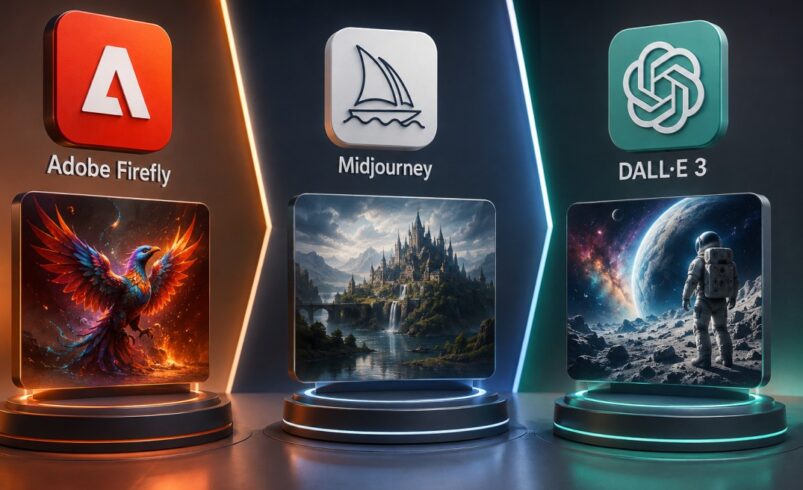
So this guide does two things. First, it clears up what happened to DALL-E 3. Second, it compares the two tools that are still very much alive, Adobe Firefly and Midjourney, against the tool that took DALL-E 3’s place inside ChatGPT. If you’re completely new to how any of these tools work under the hood, our plain-English explainer on how AI image generators work is a good starting point before you dive into the comparison below.
First, an important update: DALL-E 3 doesn’t exist anymore
Here’s the short version. OpenAI announced in late 2025 that it would retire DALL-E 3, and it followed through in the spring of 2026. The model was pulled from both ChatGPT and OpenAI’s API. If you ask ChatGPT for an image today, you are not using DALL-E 3. You’re using a newer model called GPT Image 2, sold to regular users under the label ChatGPT Images 2.0.
This matters for two reasons. If you’re comparing tools by name, you’re comparing the wrong name — OpenAI’s own developer documentation now lists DALL-E 3 as a deprecated model that has been “removed from the API.” And if you’ve read an older article that describes DALL-E 3’s pricing, its interface, or its limits, that information is out of date, because the product it describes doesn’t exist anymore.
So for the rest of this article, “DALL-E 3” means the historical model, and where we talk about what you’d actually sign up for today, we’ll call it GPT Image 2 — because that’s the honest, current name.
What each tool actually is today
Adobe Firefly
Firefly is Adobe’s image and video generation tool, built to slot into Photoshop, Illustrator, and Express. You can try it directly at firefly.adobe.com. Its biggest selling point isn’t raw creativity — it’s that Firefly is trained mainly on Adobe Stock images and licensed content, which is why Adobe is comfortable offering commercial-use indemnity to paying customers. If you’re making assets for a client or a company, that’s a real, practical advantage over tools with murkier training data.
Firefly also powers Generative Fill and Generative Expand inside Photoshop, which let you extend a photo’s edges or remove and replace objects without leaving the app you already work in.
Midjourney
Midjourney is an independent company, not owned by a bigger tech firm, and it’s known for one thing above all. Images that look considered, styled, and finished straight out of the box. If you want the deeper history of how it got here, our earlier Midjourney V7 review covers that model in detail, including the Omni Reference feature it introduced for keeping a character consistent across images. Midjourney has since moved past V7: according to Midjourney’s own version documentation, the V8 series is now the default, rendering several times faster and adding native HD output, while carrying the same aesthetic direction V7 established forward.
You no longer need Discord to use it. Midjourney’s web app is fully live, with its own create page and gallery, though the Discord community is still there if you want it.
GPT Image 2 (what replaced DALL-E 3)
GPT Image 2 launched in April 2026 as OpenAI’s new flagship image model. OpenAI’s own model documentation describes it as its “state-of-the-art image generation model,” built for close instruction-following and detailed edits. Its biggest advantage is conversational editing, you can describe an image, look at it, and ask for changes in plain language, back and forth, the same way you’d chat with ChatGPT about anything else. It also has a “Thinking” mode that plans out a composition before generating it, which shows up as noticeably better multi-object scenes and more reliable text.
Image quality and photorealism
None of these three tools has a single “best” answer here, because they’re aiming at different things.
Midjourney still leans toward images that look art-directed — strong lighting, deliberate color choices, a finished look even from a short prompt. That’s why illustrators and concept artists tend to prefer it.
Firefly’s output looks more neutral and photographic by default, which suits product shots, marketing photos, and stock-style imagery where you don’t want the image to look “styled.”
GPT Image 2 sits in between, and its real strength shows up on complex scenes with several elements, because Thinking mode plans the layout first, it’s less likely to garble a busy image than a model generating everything in one pass.
Following your instructions (prompt adherence)
If you write a detailed prompt with specific objects, positions, and counts, GPT Image 2’s Thinking mode is built specifically to follow that kind of instruction closely — it’s the closest of the three to “describe it and get exactly that.” Firefly follows prompts reliably too, though its focus is more on staying safe and predictable than on handling unusual or highly complex requests. Midjourney historically prioritized aesthetics over literal accuracy, and while the current V8-series models narrow that gap further with better prompt reading, you may still need a second attempt to get an exact detail right.
Text inside images
This used to be the clearest weak spot for every AI image tool — logos, signs, and labels came out as gibberish. That’s changed a lot. GPT Image 2 is now genuinely strong at rendering readable text, which is a big reason marketers lean on it for banners, social posts, and anything with a headline baked into the image. Firefly has also improved here, especially for short text like a product label. Midjourney remains the least reliable of the three for on-image text, so if the ask is “a poster with our tagline on it,” it’s not the natural first choice.
Editing and staying in control
Firefly’s advantage is that editing happens where designers already work — Generative Fill in Photoshop lets you select part of a real photo and only regenerate that region, keeping everything else untouched. That’s a different kind of control than “regenerate the whole image and hope it’s closer.”
GPT Image 2’s conversational editing is different but also useful: you keep the same chat thread and just ask for changes, which is fast for iterating on an idea but less precise for touching one exact spot in a photo.
Midjourney’s editing tools have improved on the web app, but it’s still primarily a generation tool first, an editing tool second.
Commercial use and safety
If you’re producing work for a client, a brand, or anything that might get scrutinized, this is the section to read twice.
Adobe’s position is the clearest: Firefly is trained on licensed and Adobe Stock content, and paid plans come with commercial usage rights and IP indemnification. That’s a meaningfully lower legal risk profile than tools trained on broadly scraped web images.
OpenAI and Midjourney both allow commercial use on paid plans, but neither offers the same kind of indemnity guarantee that Adobe does. That doesn’t mean their output is unsafe to use — plenty of businesses use both — but if a legal or procurement team is asking hard questions, Firefly’s paperwork is simply easier to point to.
Ease of use and learning curve
GPT Image 2 wins here almost by default, because it lives inside ChatGPT, a tool most people have already used. There’s no new interface to learn — you just type.
Firefly is close behind. It’s a clean, modern web app, and if you already use Photoshop, Generative Fill feels like a natural extension rather than a new skill.
Midjourney has the steepest curve of the three. Getting genuinely good results still rewards learning how to write a proper prompt, and the web interface, while much simpler than the old Discord-only setup, still has more knobs to learn than the other two.
Pricing compared
Pricing changes often in this category, so treat these as a snapshot rather than gospel — always check each company’s own pricing page before you buy.
Adobe Firefly: Free plan with limited daily generations. Paid plans start around $9.99/month (Standard), with a $19.99/month Pro tier that adds Photoshop web access and Express Premium. Higher tiers exist for heavier video and translation use.
Midjourney: No free tier — you need a paid plan to try it. Plans run from $10/month (Basic) up to $120/month (Mega), based on how many “fast” generation hours you need, with a lower rate if you pay annually.
GPT Image 2 (via ChatGPT): Free tier available with a small daily generation limit and no access to Thinking mode. ChatGPT Plus at $20/month unlocks Thinking mode and higher limits. A $200/month Pro tier exists for heavy, priority use.
For casual, occasional use, GPT Image 2’s free tier is the only genuinely free option of the three. For steady creative or commercial work, all three land in a similar monthly range once you’re on a real plan.
Head-to-head comparison
Category
Adobe Firefly
Midjourney
GPT Image 2 (replaced DALL-E 3)
Best for
Commercial/brand-safe assets, Photoshop workflows
Artistic, stylized imagery
Fast, conversational everyday images
Free tier
Yes, limited daily use
No
Yes, limited daily use
Photorealism
Strong, neutral
Strong, stylized
Strong, especially in complex scenes
Prompt following
Reliable
Good, improved further in the V8 series
Very strong with Thinking mode
Text in images
Improved, reliable for short text
Weakest of the three
Strongest of the three
Editing control
Best — precise, in-app (Generative Fill)
Improving, generation-first tool
Fast, conversational, less precise
Ease of use
Easy, especially for Adobe users
Steepest learning curve
Easiest — no new interface
Commercial/IP protection
Strongest — Adobe indemnity
Standard commercial terms, no indemnity
Standard commercial terms, no indemnity
Starting paid price
~$9.99/mo
$10/mo (no free option)
Free tier, or $20/mo for full features
Biggest strength
Legal/commercial safety
Visual style and finish
Ease, speed, and text accuracy
Biggest limitation
Less flexible for wild/artistic styles
No free trial, learning curve
Less precise for editing one exact spot
Who should choose which tool?
Choose Adobe Firefly if…
You’re producing work for a business, a client, or any project where commercial rights and legal safety actually matter, and especially if your team already lives inside Photoshop or Illustrator.
Choose Midjourney if…
The image itself is the product — concept art, illustration, brand mood boards, or anything where visual style and “does this look good” outranks literal prompt accuracy.
Choose GPT Image 2 if…
You want the lowest barrier to entry, need text rendered accurately inside an image, or you’re iterating on an idea conversationally rather than crafting one perfect prompt upfront.
Use more than one if…
You’re a working creative or a small marketing team. It’s common in practice to sketch concepts in Midjourney for style, finish product-safe assets in Firefly for client delivery, and use GPT Image 2 for quick social graphics with text. None of these tools is designed to be everything for everyone, and paying for two isn’t unusual once your output needs actually diverge. If budget is the real constraint rather than features, our Tensor Art vs Midjourney comparison is worth a look for a cheaper way into that same stylized-image category.
Final Takeaway
There isn’t one universal winner here, and any article that hands you one is oversimplifying.
Best overall for most people starting out: GPT Image 2, because it’s free to try, easy to use, and strong across the board.
Best for commercial and client work: Adobe Firefly, because of its licensing and indemnity protections.
Best for artistic and illustrative work: Midjourney, because of its visual style and finish.
Best value if you’re on a tight budget: GPT Image 2’s free tier, followed by Firefly’s $9.99 Standard plan.
Best if you already use Adobe’s Creative Cloud apps: Firefly, for the workflow integration alone.
The honest takeaway: match the tool to the job, not the other way around. And if you were specifically shopping for “DALL-E 3,” know that the tool you’re actually looking for now goes by a different name.