Udio vs Suno: Which AI Music Generator Is Actually More Creative in 2026?
July 10, 2026
0
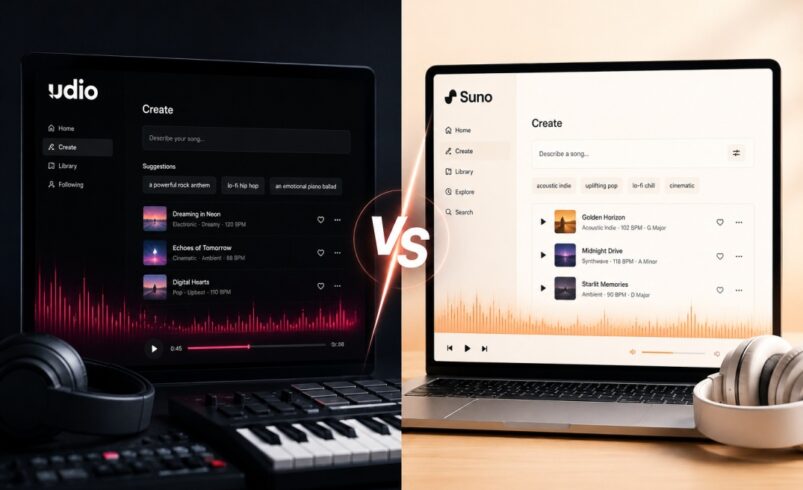
Suno and Udio both turn a text prompt into a finished song, complete with vocals, instruments, and mixing, usually in under two minutes. Picking between them used to
Suno and Udio both turn a text prompt into a finished song, complete with vocals, instruments, and mixing, usually in under two minutes. Picking between them used to be about who sounded better. In 2026 it’s a different question, because the two platforms have pulled apart on what you’re actually allowed to do with what they generate.
Our team ran identical prompts through both platforms across eight genres, then checked the results against each vendor’s current pricing, feature documentation, and the state of their ongoing copyright litigation. Here’s what we found, organized around what actually matters to someone deciding which tool to pay for.
A note on the legal situation up front, since it changes what “winner” even means here. Both companies are still fighting active copyright lawsuits from major labels, and the terms of those cases directly affect what you can legally do with a song you generate. We cover this in detail below, but if you’re planning to use AI-generated music commercially, read that section before you read anything else.
What Each Platform Is Built For
Suno optimizes for speed and finished songs. Describe what you want, and within roughly a minute you have a complete track with lyrics, vocals, and mixing. Suno’s v5.5 model, released in March 2026, added Voices (a verified voice-cloning feature), Custom Models for fine-tuning on your own catalog, and Suno Studio, a browser-based multitrack editor for stem separation and MIDI export on paid plans.
Udio optimizes for audio fidelity and granular control. The platform, founded by former Google DeepMind researchers, lets you build a track in short sections, use an inpainting tool to fix one part without regenerating the whole song, and upload reference audio to steer style. Udio outputs at 48 kHz stereo, a meaningfully higher bitrate than Suno’s default output.
In short: Suno wants to be a complete music creation environment. Udio wants to be the tool serious producers reach for when raw sound quality matters more than speed.
Genre-by-Genre Testing
We used matching prompts (genre, mood, tempo, and named instruments) across eight genres on both platforms.
Genre
Suno
Udio
Winner
Pop
Radio-ready, catchy vocals, polished mix
Clean vocals, less punchy overall
Suno
Hip-hop
Strong beat, confident vocal delivery
Cleaner instrumental, less convincing vocal delivery
Suno
Jazz
Solid but instruments sounded slightly synthetic
Excellent instrument separation, very realistic
Udio
Electronic
Fast, energetic, solid mix
More precise, better soundscape detail
Udio
Folk
Warm, natural guitar tone
Detailed acoustic texture, natural feel
Tie
Classical
Competent but thin layering
Strong orchestral depth and complexity
Udio
R&B
Smooth, emotive vocals
Good but less expressive vocals
Suno
Ambient
Pleasant, background-ready
More textured, closer to professional use
Udio
The pattern held across our test set: Suno performs better on vocal-driven genres where delivery and phrasing carry the track. Udio performs better on instrumental and texturally complex genres where separation and depth matter more than a lead vocal.
Vocal Quality
Suno’s v5.5 vocals carry natural phrasing and dynamic range that make short clips hard to distinguish from a real recording. The new Voices feature (available on Pro and Premier) lets a subscriber clone their own singing voice for use in generated tracks, which is a genuinely useful option for musicians who want AI to extend their own performance rather than replace it.
Udio’s vocals are capable but less consistent over longer generations, with quality sometimes drifting past the two-to-three-minute mark. They tend to sound more subtle and natural on shorter, texture-focused parts, like jazz scatting or ambient vocal pads, but for a powerful lead vocal performance, Suno is currently ahead.
It’s worth separating singing voice cloning from spoken voice cloning here, since the two get conflated often. Suno’s Voices is built specifically for singing. If your project needs a cloned speaking voice, for narration, ads, or a podcast intro, that’s a different job, and our ElevenLabs review covers the tool most creators reach for instead.
Production Quality and Instrument Realism
Udio wins this category. Its 48 kHz stereo output gives instruments more room to breathe, and in our jazz and classical tests, individual parts stayed distinct in a way Suno’s mix didn’t always match.
Suno’s output quality is strong for what most content creators need, and Suno Studio (Premier plan) narrows the gap for anyone doing post-production, since it adds multitrack editing, stem separation, and MIDI export.
Prompt Adherence
Both platforms respond well to specific prompts. Naming exact instruments, setting a tempo in BPM, and describing each section’s mood improved results on both tools.
Udio’s metatag system gives more precise control over key, time signature, and song structure, which rewards users who already know music theory. Suno’s Simple Mode is faster for beginners: describe what you want in plain language, and Suno fills in the technical detail.
Licensing and Copyright: The Part That Actually Determines Which Tool You Should Use
This is the section that changed the most since AI music tools first launched, and it’s the one most comparison articles skip or oversimplify. Here’s the current state, as of mid-2026:
Warner Music Group settled with both Suno (November 2025) and Udio (November 2025), each paired with a licensing partnership for future AI music products.
Universal Music Group settled with Udio in October 2025 and is co-developing a licensed AI music platform with the company. UMG’s separate case against Suno, however, has not settled — talks were reported to be at an impasse as of spring 2026.
Sony Music has not settled with either company. It’s still litigating against both Suno and Udio, and a fair-use ruling from a federal court in Massachusetts is expected in the summer of 2026 that could set precedent for the entire industry.
Independent artists, who aren’t covered by any of the major-label settlements, have filed separate class actions against both platforms.
None of this is fully resolved, and the terms are changing quickly enough that you should check each company’s current terms of service before using AI-generated music commercially. For a live view of the litigation, Music Business Worldwide and Billboard both cover the case developments as they happen.
What This Means for Downloads and Commercial Use
Suno kept downloads available for paying users after its Warner settlement, with monthly caps by plan and stem/MIDI export on the Premier tier.
Udio’s situation is more restrictive right now: as part of its transition toward a fully licensed model, the platform has temporarily disabled audio, video, and stem downloads across all plans, including paid tiers. You can still create, listen to, and share songs inside Udio, but you currently cannot export a finished track for use in a video, podcast, or commercial release. Udio has said a licensed version with exports restored is expected later in 2026, but as of this writing it hasn’t shipped.
If you need to take your music outside the app today, Suno is the only one of the two that currently lets you.
Feature
Suno
Udio
Free tier commercial use
Not permitted
Not permitted
Paid tier commercial rights
Yes (Pro and Premier)
Yes (Standard and Pro), but see download note
Downloads
Yes, paid tiers, with monthly caps
Temporarily disabled platform-wide during licensing transition
Stem export
Premier plan
Currently unavailable during transition
Label settlements
Warner (Nov 2025)
Warner and UMG (Oct–Nov 2025)
Active litigation
UMG and Sony
Sony
Licensing terms in AI music are moving fast in both directions. Treat the table above as a snapshot, and check Suno’s terms or Udio’s terms directly before using generated music in a paid project.
Pricing Comparison
Plan
Suno
Udio
Free
50 credits/day, personal use only
10 credits/day plus 100/month, personal use only
Entry paid plan
Pro: $10/month ($8/month billed annually)
Standard: $10/month, 2,400 credits/month
Full-featured plan
Premier: $30/month ($24/month billed annually), includes Suno Studio
*Lowered from our prior scoring to reflect Udio’s current platform-wide download restriction.
Who Should Use Suno?
Suno fits creators who need finished songs with vocals fast and want to take the file with them. YouTubers, podcasters, indie musicians, and social creators without music theory background will find it faster to use and, right now, easier to actually publish from. The Premier plan is worth the upgrade if you plan to edit stems or use voice cloning.
Who Should Use Udio?
Udio fits producers and audio professionals who prioritize sound quality above all else, especially for instrumental genres like jazz, classical, and ambient. If you’re using it for in-app listening, mood-boarding, or as a sketchpad for ideas you’ll re-record or license properly later, the audio quality is a real advantage. If your workflow depends on exporting a finished file today, factor in the current download restriction before you subscribe.
Our Recommendation
For most creators, Suno is the more practical starting point in 2026. Because of its strong vocal performance, fast generation, and a clearer path to a file you can actually publish and monetize.
If you’re a producer chasing precision and instrumental quality, Udio’s tools are still worth having in your workflow, with the caveat that you can’t currently export what you make. One workflow we’ve seen work well is to use Udio to explore arrangement and sonic direction, then rebuild the final version in Suno for anything you intend to distribute.