

HubSpot AI Features Review 2026: Is It Now Good Enough
- September 21, 2026
- 0
A year ago, asking whether HubSpot’s AI was any good meant judging a chatbot that mostly drafted email subject lines. That’s no longer the right question. HubSpot has
A year ago, asking whether HubSpot’s AI was any good meant judging a chatbot that mostly drafted email subject lines. That’s no longer the right question. HubSpot has

A year ago, asking whether HubSpot’s AI was any good meant judging a chatbot that mostly drafted email subject lines. That’s no longer the right question. HubSpot has spent the past eighteen months rebuilding its AI layer around autonomous agents that touch real CRM data, and in 2026 it restructured the whole thing again under something it calls Agent Hub. The pitch changed from “AI-assisted” to “AI that acts on your behalf.” Whether that pitch holds up depends entirely on which part of HubSpot you’re looking at.
This review covers the current state of HubSpot’s AI across Marketing, Sales, Service, and Content Hub, what each layer costs once the marketing page stops talking, and where it’s genuinely useful versus where it’s still asking you to trust a beta.
HubSpot markets its AI under the name Breeze, but Breeze was never a single product. It’s the umbrella term for everything AI-related woven into HubSpot’s CRM, spread across Marketing, Sales, Service, Content, Data, and Smart CRM.
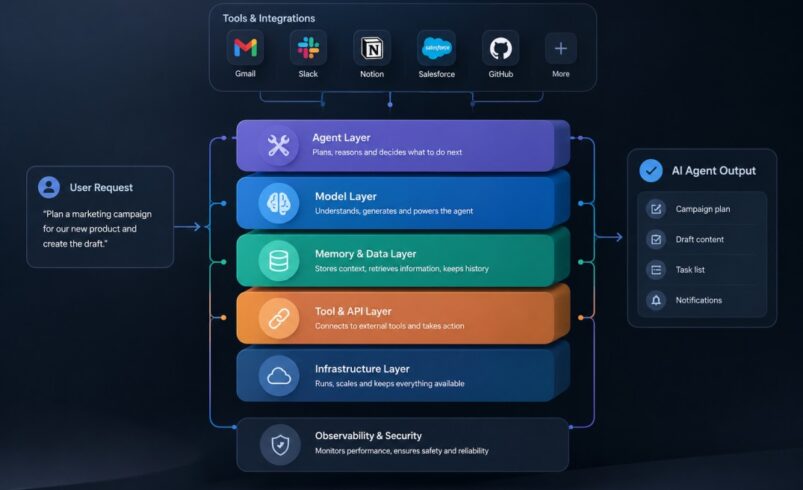
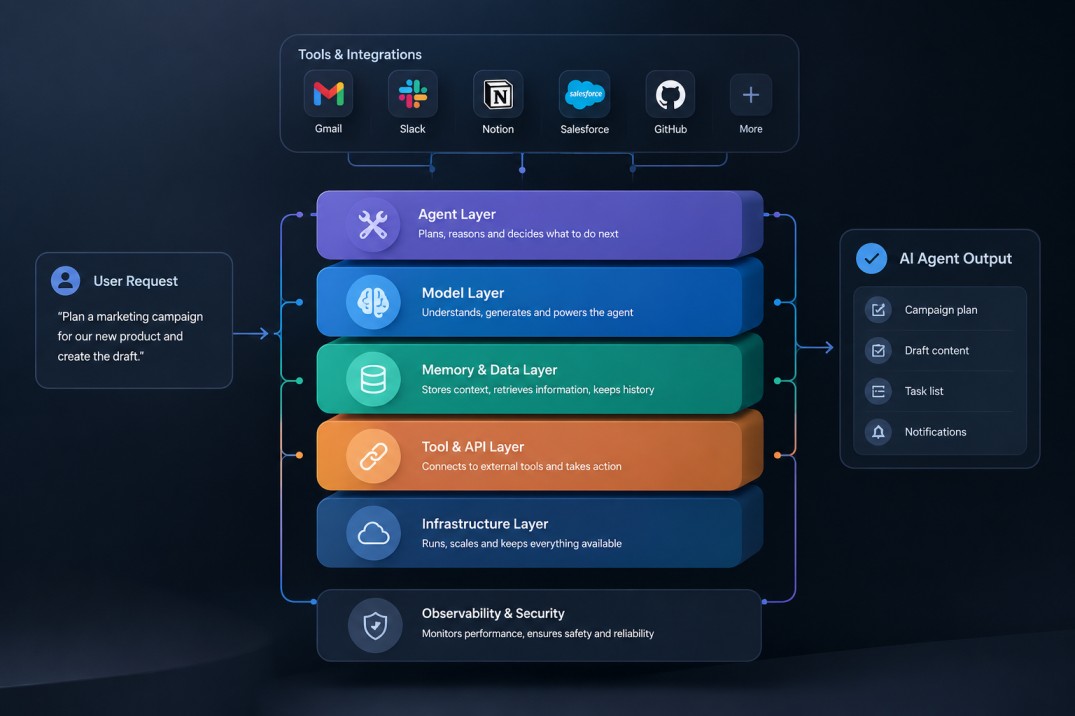
Breeze breaks down into three functionally distinct layers. Breeze Assistant is the conversational sidebar that drafts emails, summarizes CRM records, and answers questions about your account in plain language — the “copilot” experience most people picture when they hear “AI inside a CRM.” Breeze Agents are a different category entirely: semi-autonomous processes that complete entire jobs, like resolving a support conversation or researching a prospect, without a human directing every step. Breeze Intelligence is the data layer underneath both, built substantially on HubSpot’s acquisition of Clearbit, responsible for enriching contact and company records and scoring buyer intent.
The distinction matters because these three layers have very different maturity levels. Assistant is stable and free. Agents are where most of the genuine capability — and cost — now sits.
In 2026, HubSpot consolidated its agent features into Agent Hub, a beta workspace that surfaces every active and available agent in one place instead of scattering them across separate Hub settings. The current lineup includes the Customer Agent, Prospecting Agent, Data Agent, a Deal Progression feature for sales pipelines, and an AEO (AI-visibility) tool aimed at how a brand shows up in AI-powered search results, alongside a Content Agent for drafting and a beta Closing Agent for deal recommendations. The consolidation is a genuine usability improvement, letting admins see outcomes and activate agents from one screen rather than hunting through each Hub separately, but it also confirms that most of what HubSpot calls “AI” now runs on the agent model rather than a chat window.
Breeze Assistant, formerly branded Copilot, is available across every paid tier and much of HubSpot’s free tooling. It sits in a sidebar throughout the platform, and it’s context-aware: open a deal record and ask it to summarize the account’s history, and it pulls directly from that record rather than making something up. It drafts follow-up emails, generates first-draft social posts and blog content, translates copy, and answers natural-language questions about CRM data without needing a formal report built first.
This is the layer that earns HubSpot AI its best reputation, and for good reason. It doesn’t require a credit budget, it doesn’t need a separate onboarding process, and the CRM-grounded answers are noticeably more useful for day-to-day account prep than a generic chatbot with no access to your actual customer history. For a sales rep prepping for five calls in a morning, a two-sentence account summary pulled straight from the CRM is a real time saver, not a novelty.
Agents are HubSpot’s answer to the broader shift toward AI agents that don’t just answer questions but complete multi-step jobs on their own. HubSpot’s agents work specifically against CRM data, which is both their strength and their constraint — they’re only as good as the data quality underneath them.
Customer Agent is a support chatbot that answers customer questions using your knowledge base, website content, and uploaded documents, working across chat, email, and channels like WhatsApp and Messenger via the Custom Channels API. It can hand a conversation to a human agent when it can’t resolve something, and HubSpot’s own resolution-rate figures for well-configured deployments run meaningfully high, though actual results depend heavily on how complete and current the underlying knowledge base is. A support team with thin or outdated help documentation will not get the same resolution rate as one with a well-maintained knowledge base — the agent surfaces what’s there, it doesn’t invent accurate answers to gaps in it.
Prospecting Agent researches target companies using signals like job postings, funding events, and technology adoption, then builds lists and drafts personalized outreach for a sales rep to review before sending. It’s a genuine time saver for top-of-funnel research, though it’s explicitly a drafting tool: the outreach it generates is meant to be reviewed and personalized further, not sent unedited at volume.
Content Agent drafts marketing content at scale from a brief, while Data Agent researches CRM records and the open web to answer questions and clean up data quality issues. Both lean heavily on how well a HubSpot account’s existing data and content guidelines are set up — an account with messy contact records or no defined brand voice will get noticeably weaker output from either agent than one that’s invested time in configuring AI context first.
A meaningful share of HubSpot’s agent lineup — including Closing Agent, the AEO visibility tool, and pieces of the broader Agent Hub workflow builder — remains in beta as of 2026. Beta status isn’t disqualifying on its own, but it does mean feature behavior, and in some cases pricing, can still change with limited notice. Teams building agent-dependent workflows around beta features should plan for that instability rather than treating a beta agent as a finished, load-bearing part of their process.
Breeze Intelligence is arguably the least flashy and most structurally important piece of HubSpot’s AI stack. It enriches contact and company records using public data sources and third-party vendors, and it scores buyer intent so sales teams can prioritize accounts actually showing purchase signals rather than working a list in the order it was imported. Because Prospecting Agent, Data Agent, and several workflow actions all draw on this same enrichment layer, a HubSpot account with Breeze Intelligence properly configured tends to get compounding value across every other AI feature — and one without it tends to see every other agent underperform, because the agents are reasoning over thinner data.
This is the part most reviews either skip or get out of date on quickly, because HubSpot changed its pricing model mid-2026.
On April 14, 2026, HubSpot moved its two flagship agents from activity-based pricing to outcome-based pricing. Previously, Customer Agent charged a flat rate per conversation regardless of whether it actually resolved anything; now it charges only for conversations it resolves, at a rate of 50 HubSpot credits — roughly $0.50 — per resolution. Prospecting Agent moved from a recurring per-contact monitoring charge to roughly $1.00 per lead it actually recommends for outreach. Both agents draw from the same shared monthly credit pool that also covers Data Agent queries and various workflow actions, and unused credits don’t roll over to the next month.
The definition of “resolved” matters more than it sounds. HubSpot generally counts a conversation as resolved when the agent shares a relevant answer or completes an action and the conversation isn’t handed to a human within a 72-hour window — a looser bar than it might first appear, which is worth knowing before comparing HubSpot’s per-resolution price directly against a competitor’s stricter definition of the same term.
Access to the agent layer requires at least a Professional-tier Hub subscription, and pricing scales from there. A Service Hub Professional seat runs in the neighborhood of $90 per seat per month, commonly paired with a one-time onboarding fee, before a single credit is spent on the Customer Agent. Professional-tier plans typically include a few thousand credits per month as part of the subscription — enough for roughly a few dozen resolved conversations before overage kicks in at about $10 per 1,000 additional credits. A small team running a modest volume of AI-resolved support conversations alongside a handful of AI-recommended leads each month should budget for the Hub subscription itself as the larger line item, with credit overage as a smaller, usage-driven add-on — not the reverse. Pricing details change frequently enough that it’s worth checking HubSpot’s current pricing page before committing a budget.
HubSpot states that third-party models used inside Breeze are not trained on customer data, and that data handling across the AI features is designed to meet SOC 2 and GDPR compliance standards. Admins can manage which AI features are active and what data feeds into them through the account’s AI settings, and HubSpot publishes AI Trust documentation and model cards detailing the security controls and compliance posture behind Breeze. For regulated industries or any team handling sensitive customer data, reviewing those settings before activating agents — rather than accepting platform defaults — is the more defensible starting point, since default configurations tend to favor broad data access over the narrowest useful scope.
The clearest wins show up for teams already centralized on HubSpot with reasonably clean CRM data. Breeze Assistant’s CRM-grounded summaries save real prep time. Customer Agent meaningfully reduces first-line support load when the knowledge base behind it is actually maintained. Prospecting Agent and Breeze Intelligence together give smaller sales teams a research capability that would otherwise require a separate tool or a dedicated SDR. And because every agent draws on the same CRM, there’s no manual export-and-reformat step between “AI insight” and “action a rep actually takes” — the connective tissue that standalone AI tools generally can’t offer without custom integration work.
The agent layer is only as good as the CRM data underneath it, and that’s a genuine structural limitation, not just a rough edge that will smooth out with the next release. An account with duplicate contacts, inconsistent lifecycle stages, or a thin knowledge base will get noticeably weaker output from every agent built on top of that data — Prospecting Agent researches against messy records, Customer Agent answers from an incomplete knowledge base, and Data Agent spends its effort trying to clean up problems instead of surfacing insight. The pricing model also rewards teams that have already done that cleanup work and penalizes ones that haven’t, since credit-based costs scale with usage regardless of whether that usage is producing good outcomes. And a meaningful portion of the most interesting capability — Closing Agent, AEO, pieces of Agent Hub’s workflow builder — is still beta, which means real teams are, to some extent, the ones finding the rough edges.
HubSpot’s AI makes the most sense for teams that are already committed to HubSpot as their CRM of record, have invested at least some effort in data hygiene, and want AI output that’s grounded in actual customer context rather than a general-purpose assistant working from a blank slate. It’s a weaker fit for a team evaluating HubSpot primarily for its AI — the CRM and its data quality are the foundation the AI sits on, not a bonus layered on top, so buying HubSpot for Breeze without the underlying CRM discipline tends to disappoint. It’s also a weaker first purchase for a small team still running marketing, sales, and support across disconnected tools; the value of Breeze depends on HubSpot already being the system those teams work in day to day.
For narrow, high-volume tasks — long-form content drafting, deep research, image generation — a dedicated standalone tool with a sharper focus will generally outperform HubSpot’s built-in equivalent, because that’s the one thing it’s built to do well. HubSpot’s advantage isn’t raw output quality on any single task; it’s that its AI already has your customer’s history, deal stage, and support tickets in view without you copying context between tools. A team weighing that trade-off is really deciding between best-in-class output per task and CRM-grounded convenience across every task — and for a marketing team already assembling a wider stack of tools, it’s worth comparing that convenience against a broader AI marketing tool stack built from specialized tools instead.
Is HubSpot’s AI included free with every plan? Some features are, most notably core Breeze Assistant functionality. The Agents — Customer Agent, Prospecting Agent, and the rest — require at least a Professional-tier Hub subscription and consume HubSpot credits on top of that subscription cost.
What changed with HubSpot’s AI pricing in 2026? On April 14, 2026, HubSpot moved Customer Agent and Prospecting Agent from flat per-use pricing to outcome-based pricing: you now pay when the agent actually resolves a conversation or recommends a lead, not simply when it attempts the task.
Does HubSpot’s AI work well for a small business? It can, particularly for a small business already using HubSpot’s free or Starter CRM tools and looking to add support or prospecting automation without hiring for the role. The main prerequisite isn’t company size — it’s whether the underlying CRM data and knowledge base are in good enough shape for an agent to reason over.
Is HubSpot’s AI better than ChatGPT or Claude for content? Not for raw content quality on a single piece — a purpose-built writing tool generally produces stronger first drafts. HubSpot’s advantage is that its content and support features already have your CRM and customer context available, which a general-purpose assistant doesn’t have unless you supply it manually every time.
HubSpot’s AI in 2026 is genuinely more capable than it was even a year ago, and the shift to outcome-based pricing for its flagship agents is a meaningfully fairer model than paying for attempts that didn’t work. But “good enough” is still conditional, not universal. It’s good enough for a team already living inside HubSpot with reasonably clean data and a real knowledge base behind its support function. It’s not yet a reason on its own to migrate a CRM, and it’s not a replacement for specialized tools where output quality on one narrow task matters more than CRM context. The honest read is that HubSpot’s AI has closed most of the gap between “interesting demo” and “something a team can depend on” — but it closed that gap for existing HubSpot users first, and everyone else should judge it as a feature of the CRM, not a product on its own.