Notion AI Review: Is It Worth Adding to Your Workspace in 2026?
April 16, 2026
0
If you already use Notion as your primary workspace, the AI add-on has probably crossed your mind more than once. The pitch sounds reasonable, intelligent summaries, auto-drafts, instant
If you already use Notion as your primary workspace, the AI add-on has probably crossed your mind more than once. The pitch sounds reasonable, intelligent summaries, auto-drafts, instant Q&A across your documents, all without leaving the app. But the $10/month add-on cost on top of your existing plan raises a fair question: Does Notion AI actually deliver meaningful value, or is it a feature that sounds better than it performs?
After spending six weeks running it through real daily workflows, meeting notes, project briefs, content drafts, and knowledge base searches, we have an honest breakdown of what you get and where it falls short.
What Is Notion AI?
Notion AI is a built-in AI layer integrated directly into Notion’s workspace environment. Unlike using ChatGPT in a separate browser tab, Notion AI operates inside your pages, databases, and documents. You can highlight a paragraph and ask it to rewrite it, open a blank page and prompt it to generate a first draft, or use the Q&A feature to search your entire workspace using natural language.
It launched in 2023 but received significant updates through 2025 and into 2026, particularly improvements in how it handles context from connected pages and how the AI Q&A feature interprets workspace-wide data. The 2026 version is a noticeably stronger product than what early adopters tested.
Core Features Worth Knowing
AI Writing and Editing
The most visible feature is inline content generation. You hit the spacebar on a blank line, type a prompt, and Notion AI generates text directly in the page. The output quality is reasonable for first drafts, it produces structured content quickly and handles summarization well. For editing, you can select any text block and choose from options like Improve Writing, Make Shorter, Fix Grammar, or Change Tone.
These editing tools perform better for polish than for substantive rewrites. When the underlying content is already solid, the improvements are genuinely useful. When the draft is weak, you will still need to rewrite most of it regardless of what the AI suggests.
Q&A: The Most Genuinely Useful Feature
Notion AI Q&A lets you ask natural language questions and receive answers sourced from your own workspace content. This is where Notion AI’s embedded nature becomes a real advantage over standalone AI tools.
Ask it “What were the key decisions from our Q1 planning session?” and it searches your connected pages, meeting notes, and documents to build an answer with citations pointing to exactly which pages it pulled from. For teams with large knowledge bases, this feature alone can justify a portion of the cost. The retrieval accuracy has improved meaningfully in 2026, though it still occasionally misses pages that are poorly titled or not properly indexed.
Autofill in Databases
Notion’s database autofill is a hidden gem that most casual users overlook. You can create a custom AI property in any database. For example, “Generate a one-sentence summary of this project status,” — and Notion AI fills it automatically for every database entry. For content pipelines, project trackers, or lightweight CRM setups built inside Notion, this removes a consistently repetitive task in a clean, low-friction way.
Testing Notion AI Across Six Real Workflows
Meeting notes summaries — This proved to be the strongest consistent use case. Pasting raw transcript text and prompting “summarize this into action items and key decisions” produced accurate, directly usable outputs in under 10 seconds. Compared to manually reviewing a 60-minute meeting transcript, the time savings add up over weeks.
Project brief drafting — Results were mixed. Notion AI generates a workable skeleton brief from a one-line description, but the output typically needs substantial editing before it is presentable to stakeholders. It functions better as a blank-page eliminator than as a finished draft producer.
Wiki Q&A — Genuinely strong when your workspace is well organized. Poorly structured wikis with vague page titles produce fuzzy, low-confidence answers. The tool actively rewards teams that already maintain clean, structured documentation habits.
Content drafts for blogs and emails — Functional, but outpaced by dedicated AI writing platforms. If your primary need is high-volume copywriting output, tools focused specifically on that workflow offer more nuanced tone control and brand voice consistency. For quick internal communications and documentation drafts that live inside Notion anyway, the convenience factor carries real weight.
Notion AI vs. Using ChatGPT Separately
This is the question most users actually need answered. ChatGPT accessed via a browser tab delivers more sophisticated reasoning, larger context windows, and more flexible output formats. Notion AI’s advantage is workflow integration. You stay in your workspace, relevant page context carries over automatically, and AI-generated content lands directly in your documents without any copy-paste friction.
For teams already living in Notion, that integration value is meaningful. For solo users who are comfortable switching browser tabs, the cost-per-value calculation often tilts toward using a separate AI tool alongside well-chosen AI productivity tools for workflow management instead.
Notion AI Pricing
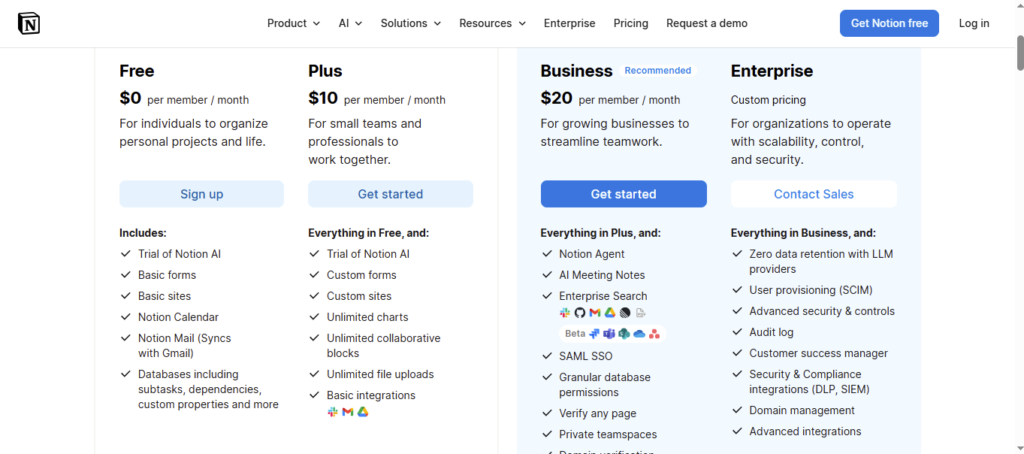
Notion AI costs $10 per member per month, billed monthly, or $8 per member per month on an annual plan. It sits as an add-on on top of your existing Notion subscription, so for a team of five on Notion Plus, you are looking at $50–$65 extra per month for AI features alone.
For solo users, that $8–$10 range is competitive against most standalone AI tools. For larger teams, the per-seat pricing compounds quickly. Organizations with 20 or more seats should calculate cost-per-active-user before committing, since in many cases only a subset of team members will use AI features regularly enough to justify the per-seat charge.
There is no permanent free tier for Notion AI. New Notion accounts receive a limited batch of AI responses to test the feature before any payment is required.
Where Notion AI Falls Short
Context limits on very large workspaces — The Q&A feature works well on organized workspaces of moderate size. Workspaces with thousands of loosely titled pages can produce retrieval results that are imprecise or incomplete.
No real-time web access — Notion AI’s knowledge is limited to your workspace content and its training data. It cannot pull live market data, recent news, or updated research. For content teams running research-heavy workflows — particularly those already evaluating AI SEO content tools for deeper research — this limitation is a relevant gap to consider.
Per-seat pricing at scale — The add-on model becomes expensive for mid-to-large teams. Enterprise rollouts where AI access is needed company-wide will find the cost climbs faster than expected compared to shared-seat AI tool models.
Limited creative and long-form writing utility — Notion AI was not designed for advanced copywriting or nuanced long-form content creation. Users whose primary AI use case is high-quality content output, whether for blogs, ad copy, or detailed reports, will find dedicated platforms like those compared in a Jasper AI vs Copy.ai analysis deliver noticeably stronger results for those specific tasks.
Who Should Use Notion AI?
Recommended for:
Teams already using Notion as their central knowledge base and project hub
Project managers who need automated meeting summaries and action-item extraction
Knowledge workers who spend significant time searching through internal documentation
Content teams who want AI drafting without the friction of switching tools mid-workflow
Skip it if:
You use Notion only for lightweight personal note-taking
Your team’s workspace is poorly organized — Q&A will underperform significantly
Budget is a concern and your AI needs skew toward advanced writing, coding, or creative tasks
You are building an AI stack as a freelancer and need category-specific tools across writing, design, and research workflows
Best Alternatives to Notion AI
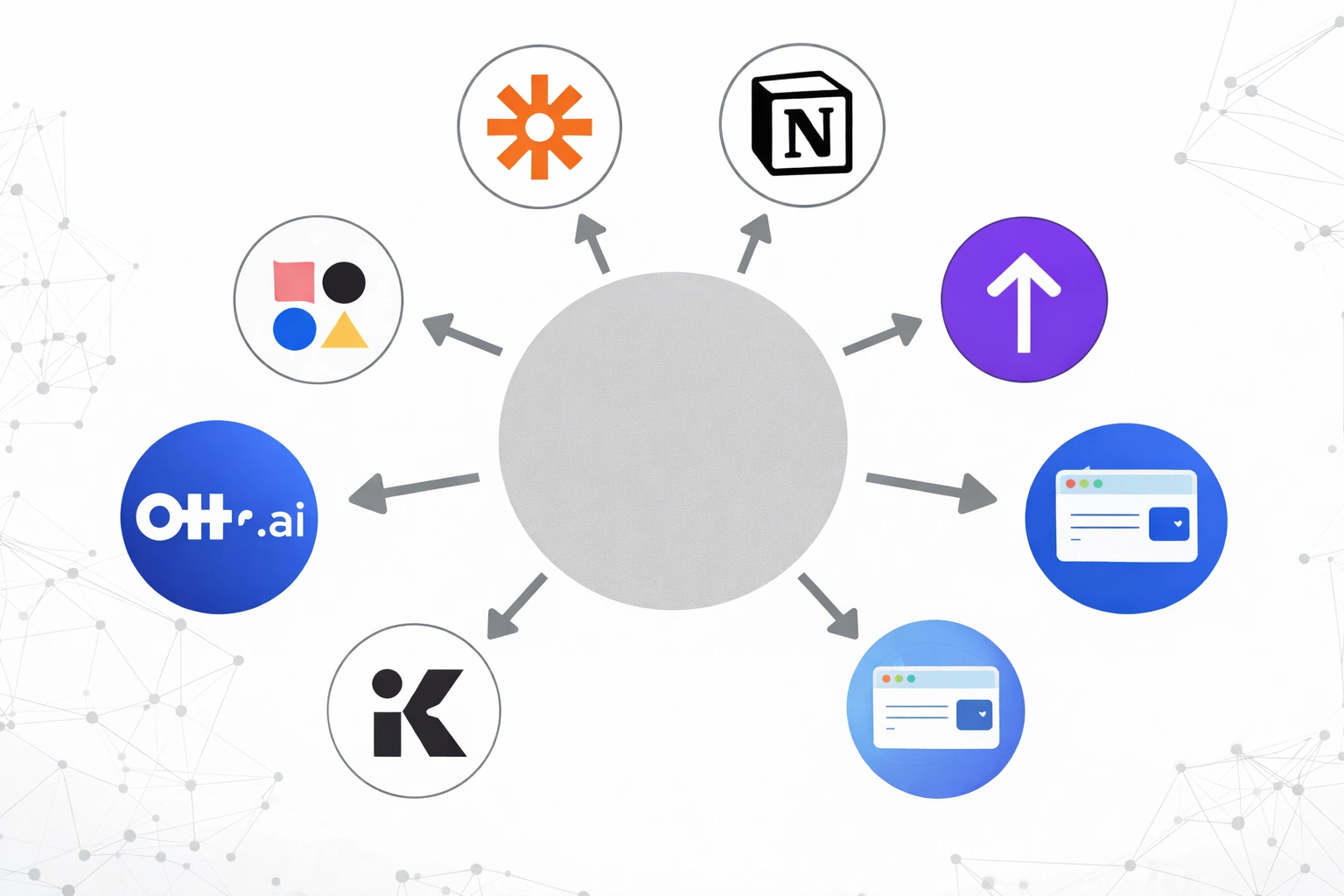
If Notion AI doesn’t fit your workflow or budget, several alternatives are worth considering:
Mem AI — a smart note-taking app with AI-powered knowledge linking that works well for individuals who don’t need full project management
Obsidian + AI plugins — a strong option for users who want local-first note organization with selectively added AI capabilities
ClickUp AI — a comparable workspace AI feature built into a project management tool, with competitive per-seat pricing
Standalone note apps with built-in AI — covered in depth in the 2026 roundup of best AI note-taking apps, which benchmarks these tools across 30 days of real daily use
Final Verdict
Notion AI is a solid productivity feature, not a transformative AI platform. Its value is almost entirely determined by how deeply embedded you already are in Notion’s ecosystem. If Notion serves as your team’s central hub and your workspace is reasonably organized, the Q&A feature and meeting summaries alone can justify the add-on cost for heavy users.
If you are building an AI stack from scratch, especially as a freelancer or small team covering multiple workflow categories, a broader look at what the best AI tools for freelancers include across writing, research, and productivity tools will likely reveal stronger per-dollar options for your specific use case mix.
For existing Notion users on teams: start by using the free AI responses to stress-test the Q&A feature against your actual workspace content. If it accurately retrieves information from your real pages and saves your team meaningful time on meeting summaries, the cost makes sense. For most active Notion teams that meet that test, it will.
FAQ: Notion AI in 2026
Is Notion AI free?
No. Notion AI is a paid add-on at $8–$10 per member per month. New accounts receive a limited number of free AI responses to test the feature.
Is Notion AI better than ChatGPT?
Not for raw output quality. ChatGPT offers stronger reasoning and more flexible generation. Notion AI’s advantage is workspace integration — it works inside your documents and can reference your own content.
What can Notion AI do that ChatGPT cannot?
It can answer questions about your specific Notion workspace content — your meeting notes, project pages, and wikis — and insert outputs directly into your documents without switching tools.
Does Notion AI work for large teams?
It works technically for large teams, but the per-seat pricing makes it expensive if most members don’t actively use AI features. Evaluate actual usage patterns before a wide rollout.