Claude Code went from launch to the most-discussed AI coding tool among experienced developers in under a year. That kind of adoption curve usually means either genuine capability or aggressive marketing. In this case, it is mostly the former.
The reason Claude Code polarizes developer opinion is the same reason it gets praised by those who use it heavily: it does not behave like a coding assistant. It behaves like an agent. There is a meaningful difference, and understanding it determines whether Claude Code belongs in your workflow or belongs in the category of tools that look impressive but do not fit how you actually work.
This review covers how Claude Code was tested, where it performs well, where it falls short, how it compares to Cursor and GitHub Copilot, and whether any of the three subscription tiers make financial sense for your situation.
What Claude Code Actually Is: The Terminal-Native Distinction
Claude Code is a command-line tool. Not an IDE plugin, not a sidebar panel in your existing editor, not a chat interface that outputs code blocks. It runs in your terminal, connects to Anthropic’s Claude models via the API, and operates with full awareness of your codebase. It reads files, writes files, runs shell commands, executes tests, and commits to git. Plus, it can do all of this in sequence without requiring a prompt for each step.
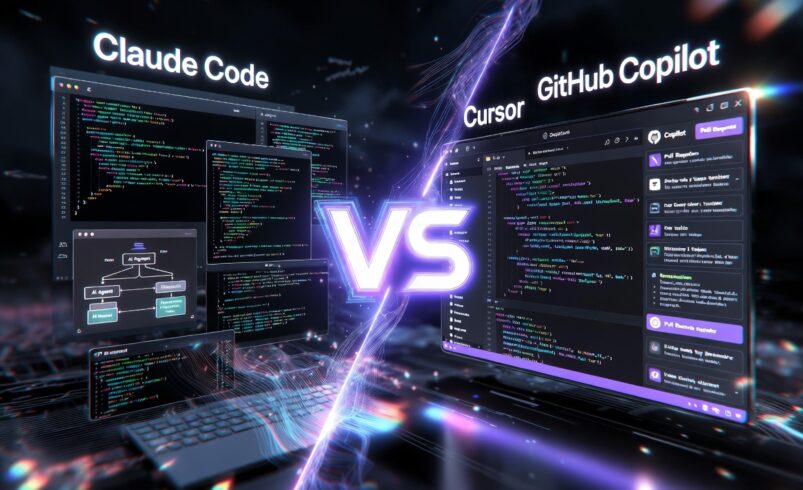
This architecture is what makes the comparison with Cursor and GitHub Copilot somewhat misleading. Cursor is an AI-native IDE. Copilot is an IDE extension. Claude Code is an autonomous agent that happens to be used for coding. The overlap in use cases is real, but the interaction model is fundamentally different.
The developer profiles that benefit most from Claude Code are those who already think in terms of tasks and outcomes rather than files and functions. If your mental model when coding is “I need to build an authentication system,” Claude Code can operationalize that goal. If your mental model is “I need to write the next function,” Cursor or Copilot is the better match. For a broader look at how Claude models stack up on general tasks, see our article on how Claude models compare for general AI tasks.
2026 Capability Overview
Anthropic’s updates to Claude Code through early 2026 have expanded both the model capability and the tooling ecosystem. Claude Code now runs via a CLI, a VS Code extension, a desktop application, and a web interface. It is also available through Amazon Bedrock, Google Vertex AI, and Microsoft Foundry for teams using cloud provider billing rather than Anthropic subscriptions.
The March 2026 launch of Code Review as a Claude Code feature added multi-agent pull request review capability. The system runs multiple specialized Claude agents in parallel, verifies their findings against each other, and posts ranked review comments directly into GitHub. According to Anthropic’s internal data, 54 percent of pull requests now receive substantive comments from the system, compared to 16 percent with previous approaches. The typical cost per review runs $15 to $25, with completion times around 20 minutes.
Agent Teams, which spawn multiple Claude Code instances operating in parallel on a single task, became more widely used through early 2026. The capability is powerful for complex parallel workflows but carries significant cost implications: a three-agent team uses approximately seven times more tokens than a single-agent session running the same task, because each instance maintains its own full context window.
Hands-On Testing: Real Projects, Real Results
Testing was conducted across three project types that represent the range of tasks Claude Code is commonly deployed for: greenfield scaffolding, legacy codebase refactoring, and bug investigation across distributed files.
Greenfield Scaffolding
Starting a new Node.js API project from scratch, Claude Code built the full initial structure from a single natural language description: directory layout, build configuration, database layer with migrations, authentication middleware, route handlers, and a basic test suite. The initial scaffold required approximately 40 minutes of autonomous operation. The output was not production-ready, but it was structurally sound and correctly implemented the specified architecture. What would have taken a developer several hours was reduced to a review and refinement task.
The CLAUDE.md file, which serves as persistent project context that Claude Code loads at the start of each session, was instrumental here. A well-written CLAUDE.md file that describes the project structure, naming conventions, and architectural decisions dramatically reduces the exploratory file-reading that otherwise consumes token budget at the start of complex sessions.
Legacy Codebase Refactoring
The refactoring task involved a 30-file TypeScript codebase with inconsistent patterns and a migration target from one state management library to another. Claude Code handled the systematic parts well: identifying all instances of the old pattern, generating replacement code that matched the new library’s API, and updating imports across the project. Where it required more supervision was in cases where the old pattern had been used in non-standard ways. Roughly one in five files needed manual review to catch edge cases the agent did not identify without prompting.
This is an honest result for the current state of agentic coding. Claude Code substantially accelerates systematic refactoring while still requiring developer judgment for edge cases and non-obvious interactions. It is not a replacement for understanding the codebase. It is a significant accelerant for applying understood changes at scale.
Bug Investigation Across Distributed Files
A planted bug involving incorrect state propagation across three separate service files was given to Claude Code as a description of the symptom. The agent read through the relevant files, traced the call chain correctly, identified the root cause, and proposed a fix with an explanation of why the original code produced the incorrect behavior. The total investigation time was under three minutes. The same investigation without AI assistance on an unfamiliar codebase typically takes significantly longer.
This is where Claude Code’s codebase-wide awareness creates the clearest advantage. Bugs that cross file boundaries are disproportionately expensive to debug manually. An agent that can trace them systematically without requiring the developer to maintain the entire call graph in working memory is genuinely useful.
Claude Code vs Cursor: Where Each Wins
The comparison that comes up most often among developers is Claude Code versus Cursor, because both are positioned as tools for serious AI-assisted development rather than simple autocomplete. The honest answer is that they reward different working styles. For a detailed side-by-side, see our full Cursor vs Copilot breakdown.
Cursor is the better daily driver for most developers. The visual workflow, inline diff review, and Composer multi-file editing are well-designed for the file-by-file, change-by-change editing pattern that describes most day-to-day development work. Cursor integrates into existing editor habits rather than requiring a shift in how you interact with a codebase. At $20 per month for the Pro tier, it is competitively priced and broadly accessible.
Claude Code wins on complex, task-level operations. When the goal is not “edit this function” but “implement this feature across these files,” Claude Code’s agentic architecture handles it more naturally. The terminal-native model also gives it advantages for workflows that involve running scripts, managing environment setup, or integrating with other command-line tools.
The pattern that experienced developers in 2026 converge on is using both. Cursor handles the 80 percent of daily coding that involves active editing and navigation. Claude Code handles the complex tasks, large refactors, and architectural work where agentic multi-step execution produces real leverage. If you are also evaluating other options, see our review of Windsurf as an alternative AI coding editor.
Claude Code vs GitHub Copilot: A Different Category
Comparing Claude Code to GitHub Copilot is comparing tools that are solving adjacent but different problems. Copilot is an intelligent autocomplete and chat assistant integrated into your existing editor. It is the most accessible AI coding tool at $10 per month, works across the widest range of IDEs, and has the strongest enterprise compliance infrastructure of any tool in this category.
Claude Code does not compete with Copilot on autocomplete. It competes on the tasks where autocomplete is not enough: autonomous feature implementation, cross-file bug investigation, large-scale refactoring, and pull request review. A developer choosing between them based on autocomplete quality is comparing the wrong attribute.
Worth noting: GitHub paused new signups for paid individual Copilot plans as of June 2026, making the comparison somewhat academic at the individual level for the moment. At the team and enterprise level, Copilot has the more mature organizational controls and GitHub ecosystem integration. Claude Code has the higher capability ceiling for complex autonomous tasks.
Pricing Breakdown: Pro, Max 5x, Max 20x, and API
Claude Code pricing changed meaningfully on June 15, 2026. Programmatic usage, including the Agent SDK and autonomous pipeline use, now draws from a separate monthly credit pool rather than the shared subscription token pool. Pro subscribers receive $20 in API credit per month for programmatic use. Max 5x subscribers receive $100. Max 20x subscribers receive $200. Unused credits do not carry over.
The Claude Pro plan at $20 per month covers light to moderate individual use: focused feature development, code review sessions, and debugging tasks that do not involve extended autonomous runs. The five-hour rolling session window and weekly caps become binding for developers running large refactors or extended agentic sessions regularly.
The Max 5x plan at $100 per month is the right tier for developers whose core daily workflow involves Claude Code across complex tasks. The Max 20x plan at $200 per month targets power users running Agent Teams or multi-step autonomous workflows regularly. Community data from developers at this usage level suggests average costs of $150 to $250 per developer per month at scale, depending on codebase size and workflow complexity.
API-only access through Bedrock, Vertex AI, or Foundry gives enterprise teams full control over billing but removes the subscription caps. The right model depends on whether predictable monthly costs or unlimited token access better suits your organization’s workflow.
Limitations and Known Constraints
Claude Code’s biggest practical limitation is cost unpredictability for teams running Agent Teams or extended autonomous sessions. Token consumption in multi-agent workflows is significantly higher than single-agent use, and the cost compounds quickly on large codebases. Organizations deploying Claude Code at team scale need monitoring tools to track usage, and Anthropic’s guidance on keeping CLAUDE.md files under 200 lines reflects how directly the persistent context file affects recurring costs.
The tool is also not production-ready for fully unsupervised operation. Agentic sessions on complex tasks still produce errors roughly one in five times on non-standard edge cases, and the diff review step before accepting changes is not optional for production codebases. Claude Code accelerates development significantly. It does not remove the need for developer judgment.
The CLI-first interface is a genuine barrier for developers accustomed to visual editors. While the VS Code extension and desktop app partially address this, the full power of Claude Code’s agentic capabilities is still most accessible through terminal use. Developers who are not comfortable in a terminal will find the tool less accessible than Cursor.
Who Should Use Claude Code
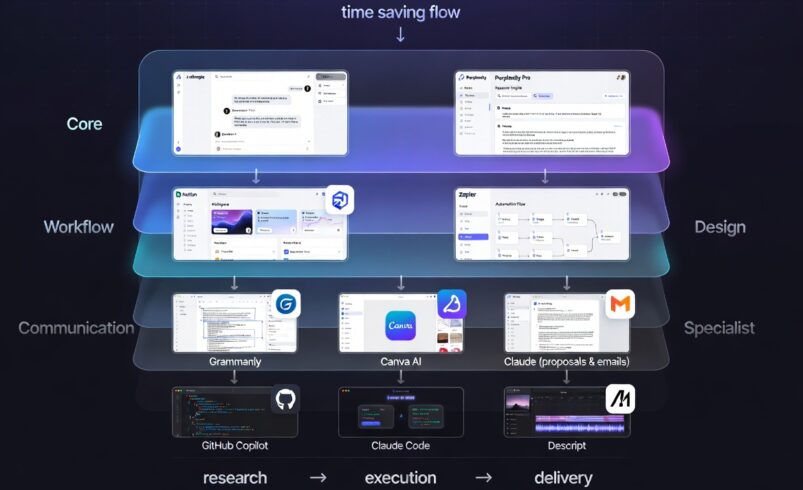
Claude Code is the right primary tool for developers who work on complex, multi-file projects where task-level agentic execution creates real leverage. Backend engineers, full-stack developers working on larger codebases, and technical founders building products without large teams benefit most from the tool’s autonomous capabilities. For freelancers evaluating Claude Code as part of a wider AI stack, see our guide to the best AI tools for freelancers.
It is less suited to developers whose work primarily involves rapid front-end iteration, single-file editing, or visual design work where the AI-native IDE experience that Cursor provides is a better match. It is also less suited to developers who are not comfortable running tools from the terminal.
For enterprise teams, the Code Review feature that uses multi-agent parallel review on pull requests is the highest-value entry point for teams not ready to commit to full Claude Code workflows. At $15 to $25 per review, it targets the bottleneck that agentic code generation has created: code can be written faster than it can be reviewed with existing tooling.
Final Verdict
Claude Code is the highest-capability AI coding tool available in 2026 when measured by what it can do on complex, multi-step tasks. The agentic architecture that made it polarizing when it launched is now its clearest advantage as the industry has moved from autocomplete as the primary value proposition to autonomous task execution.
It is not the right tool for every developer or every workflow. The terminal-native interface, the pricing complexity, and the requirement for developer supervision on autonomous sessions all represent real costs that need to fit your situation. For developers whose bottleneck is the scale and complexity of what they need to build rather than the speed of typing individual lines, Claude Code removes that bottleneck more effectively than anything else currently available.
The most honest summary: if you already use Cursor daily and occasionally hit tasks where it is not enough, Claude Code is what handles those tasks. Many experienced developers end up running both. That combination, at roughly $40 per month for Cursor Pro plus Claude Pro, represents a genuinely powerful development environment for the type of work where AI creates the most leverage.
Frequently Asked Questions
Is Claude Code better than Cursor?
They solve different problems. Cursor is the better daily driver for active file editing and most routine development tasks. Claude Code is more capable on complex, multi-file, task-level work where agentic autonomous execution creates real leverage. Many developers use both. The choice of which to prioritize depends on whether your typical coding work is file-by-file editing or task-level implementation. For a deeper comparison, read our full Cursor vs Copilot breakdown.
How much does Claude Code cost per month?
Claude Code is included with Claude Pro at $20 per month for individual use, with usage caps on sessions and weekly token limits. Claude Max 5x at $100 per month provides expanded capacity. And Claude Max 20x at $200 per month is designed for developers running Agent Teams and extended autonomous workflows. API-only access via Bedrock, Vertex AI, or Foundry is available to enterprise teams at standard token rates.
Can Claude Code edit multiple files at once?
Yes. Multi-file editing is one of Claude Code’s core capabilities. The agent reads your entire codebase, plans changes across multiple files, executes them in sequence, and presents diffs for review before applying. This is the primary capability that differentiates it from autocomplete-focused tools.
Is Claude Code safe to use on proprietary code?
Claude Code sends code context to Anthropic’s servers for model inference. For teams with IP-sensitive code, reviewing Anthropic’s privacy and data handling documentation before deployment is important. Enterprise access through Bedrock, Vertex AI, or Foundry provides additional control over data handling through cloud provider infrastructure. Teams with strict data residency requirements should evaluate these pathways rather than the standard subscription model.
What happened to Claude Code pricing on June 15, 2026?
Anthropic separated programmatic and agentic usage from the shared subscription token pool effective June 15, 2026. Autonomous pipeline use, Agent SDK calls, and similar programmatic usage now draw from a separate monthly credit allocation included with each subscription tier, rather than sharing the same pool as interactive chat sessions. This change primarily affects teams running automated workflows or Agent Teams at scale. Full details are available on the Anthropic pricing page.