5 Best AI Productivity Tools to Automate Your Workflow (2026)
February 24, 2026
0
AI productivity tools promise to revolutionize how we work by automating repetitive tasks, streamlining workflows, and freeing time for creative thinking. But with hundreds of tools claiming to
AI productivity tools promise to revolutionize how we work by automating repetitive tasks, streamlining workflows, and freeing time for creative thinking. But with hundreds of tools claiming to boost efficiency, which ones actually deliver measurable time savings versus adding complexity to your workflow?
We tested five leading AI productivity platforms over two months, tracking actual time savings, setup complexity, and reliability. This comparison focuses on tools that automate real work, not just generate content, examining which ones justify their place in your tech stack.
What Defines a True Productivity Tool?
Real productivity tools eliminate manual work through automation, not just provide assistance. They connect your existing apps, trigger actions based on conditions, and complete multi-step processes without human intervention. The best tools disappear into your workflow, working silently while you focus on higher-value tasks.
This review excludes writing assistants and chatbots since those require active engagement. We’re examining platforms that perform tasks autonomously, scheduling meetings, processing data, managing files, and orchestrating workflows across multiple applications without constant supervision.
Top 5 AI Productivity Tools Compared
Tool
Best Use
Free Tier
Pricing
Time Saved
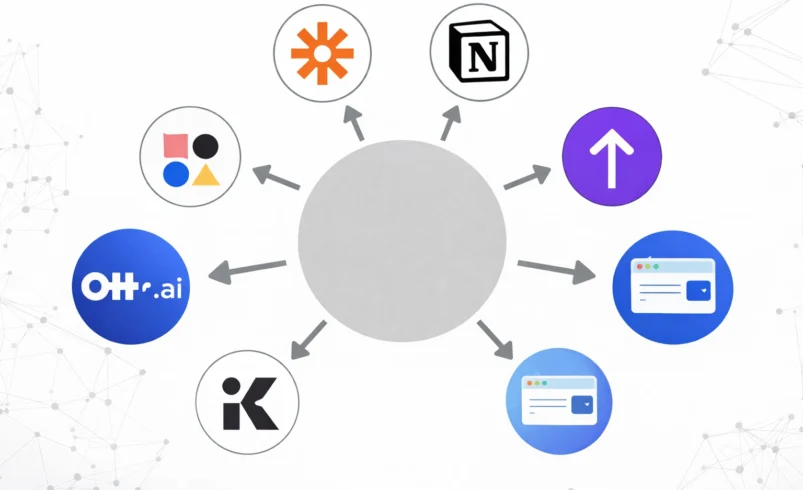
Zapier
App integration
100 tasks/mo
$20-$600/mo
5-10 hrs/week
Notion AI
Knowledge base
Limited
$10-$15/mo
3-5 hrs/week
Otter.ai
Meeting notes
600 min/mo
$17-$30/mo
2-4 hrs/week
Reclaim.ai
Schedule mgmt
Yes
$0-$12/mo
4-6 hrs/week
Bardeen
Browser automation
Generous
$10-$25/mo
3-7 hrs/week
Detailed Tool Reviews
1. Zapier – The Integration Powerhouse
Zapier remains the most comprehensive automation platform, connecting over 6,000 apps through conditional workflows called Zaps. The platform excels at eliminating repetitive data transfer between applications, automatically adding form submissions to spreadsheets, creating calendar events from emails, or syncing customer data across CRM systems.
During our testing, Zapier saved an average of 7 hours weekly by automating social media posting, lead management, and invoice processing. The most valuable automation moved new Stripe customers into our email marketing platform while simultaneously creating customer records in Airtable and notifying our team via Slack, five manual steps condensed into one automatic workflow.
The platform’s recent AI features enhance automation with intelligent data extraction, smart scheduling, and contextual decision-making. AI can now parse email content, categorize support requests, and route tasks to appropriate team members based on message content rather than just keywords.
Best For: Teams needing robust app integration and complex multi-step workflows
Notion AI transforms the popular workspace platform into an intelligent knowledge hub. The AI assistant helps draft documents, summarize meeting notes, extract action items from project updates, and answer questions about information stored across your workspace. This integration means AI assistance lives directly where you work rather than requiring separate applications.
The standout feature: contextual understanding of your workspace content. Ask Notion AI about project status, and it references relevant documents, timelines, and team updates automatically. This eliminates endless searching through pages and databases for scattered information.
Our testing found Notion AI most valuable for teams already using Notion extensively. The AI’s effectiveness scales with workspace organization, well-structured databases and consistent documentation yield better results than chaotic workspaces with minimal context.
Best For: Teams already using Notion who want AI-powered knowledge management
Pricing: $10/month per member (addon to Notion subscription)
3. Otter.ai – Automated Meeting Intelligence
Otter.ai automatically transcribes meetings, identifies speakers, and generates summaries with action items. The platform joins video calls automatically, recording conversations and producing searchable transcripts within minutes of meeting conclusion. This eliminates manual note-taking and ensures accurate records of decisions and commitments.
Transcription accuracy impressed us consistently, correctly identifying industry jargon and technical terms after brief training. The speaker identification works reliably in meetings with up to 10 participants, though larger gatherings sometimes confuse similar voices.
The automated summary feature extracts key topics, decisions, and action items, though results require light editing for accuracy. Even with editing, the time savings compared to manual note-taking remain substantial, roughly 30 minutes saved per hour-long meeting.
Best For: Professionals attending frequent meetings who need accurate records without manual note-taking
Pricing: Free: 600 minutes/month | Pro: $17/month | Business: $30/month per user
4. Reclaim.ai – Intelligent Calendar Management
Reclaim.ai uses AI to optimize your calendar, automatically scheduling flexible tasks around fixed commitments. The platform learns your work patterns, identifies your productive hours, and defends time for deep work by blocking calendar slots before meetings fragment your day.
The habits feature proved transformative during our testing. Set goals like ‘exercise 4 times weekly’ or ‘deep work 10 hours weekly,’ and Reclaim automatically finds and books appropriate time slots. When meetings conflict with scheduled habits, Reclaim reschedules automatically based on priorities you define.
The task scheduling integrates with project management tools, pulling deadlines from Asana, Todoist, or Linear and automatically allocating work time before due dates. This transforms vague task lists into concrete calendar commitments, dramatically improving follow-through.
Best For: Busy professionals struggling with calendar management and protecting focus time
Pricing: Free tier available | Pro: $8/month | Business: $12/month per user
5. Bardeen – Browser Automation Without Code
Bardeen automates repetitive browser tasks without requiring coding skills. The Chrome extension lets you record actions, clicking buttons, filling forms, copying data, then replay them automatically. Combined with AI capabilities, Bardeen extracts data from websites, enriches contact information, and performs research tasks autonomously.
We used Bardeen to automate prospect research, automatically gathering company information, employee counts, and recent news for sales outreach. What previously took 10 minutes per prospect now completes in under 30 seconds with better data consistency.
The playbook library provides pre-built automations for common tasks like LinkedIn outreach, email finding, and meeting scheduling. These templates work immediately with minor customization, accelerating implementation compared to building workflows from scratch.
Best For: Sales teams, researchers, and professionals performing repetitive web-based tasks
Pricing: Free tier generous | Professional: $10/month | Business: $25/month per user
Choosing the Right Tool for Your Needs
The best productivity tool depends on your specific workflow bottlenecks:
For app integration: Zapier handles the widest range of applications and complex multi-step workflows.
For meeting productivity: Otter.ai eliminates manual note-taking and creates searchable meeting records.
For calendar chaos: Reclaim.ai optimizes scheduling and protects focus time automatically.
For knowledge work: Notion AI enhances existing workspace with intelligent content assistance.
For web tasks: Bardeen automates browser-based repetitive work without coding.
Frequently Asked Questions
How much time do these tools actually save?
Based on our testing, expect 3-10 hours weekly saved once properly configured. Initial setup requires time investment, but ongoing savings compound over months.
Can I use multiple tools together?
Yes, these tools complement rather than compete. Many professionals use Zapier for app integration, Otter for meetings, and Reclaim for calendar management simultaneously without overlap.
Are free tiers sufficient for individual users?
Free tiers work well for testing and light usage. Heavy users typically upgrade within 2-3 months as automation needs grow beyond free limits.
Final Recommendations
AI productivity tools deliver genuine time savings when matched to actual workflow pain points. Don’t adopt tools because they seem impressive, identify specific repetitive tasks consuming your time, then select tools addressing those exact problems.
Start with one tool targeting your biggest time sink. Master it thoroughly before adding others. The most productive professionals use 2-3 automation tools deeply rather than dabbling with dozens superficially. Focus on eliminating your most time-consuming manual processes first, then expand automation gradually as you identify additional opportunities. The goal isn’t maximum tool adoption, it’s maximum time recovered for work that genuinely requires human creativity and judgment.